LimeSurvey 7.0.5 - Stored XSS in replacement-fields
4.8
Medium
Detected by

Fluid Attacks AI SAST Scanner
Disclosed by
Miguel Gómez
Summary
Full name
LimeSurvey 7.0.5 - Stored XSS in replacement-fields
Code name
State
Public
Release date
Affected product
LimeSurvey
Vendor
LimeSurvey
Affected version(s)
7.0.5
Fixed version(s)
7.0.12
Vulnerability name
Stored cross-site scripting (XSS)
Vulnerability type
Remotely exploitable
Yes
CVSS v4.0 vector string
CVSS:4.0/AV:N/AC:L/AT:P/PR:L/UI:A/VC:L/VI:L/VA:N/SC:H/SI:H/SA:N
CVSS v4.0 base score
4.8
Exploit available
Yes
CVE ID(s)
Description
LimeSurvey Community Edition 7.0.5 contains an authenticated stored cross-site scripting vulnerability in the replacement-fields dialog used by the administrative question editor.
An authenticated user with enough privileges to create and manage their own survey can store a crafted question text in QuestionL10n::question. LimeSurvey's XSS filtering remains enabled in the reported scenario, but the payload is preserved because it is plain text at validation time. When another authenticated user with read access to the survey opens the replacement-fields dialog for a later question, LimeSurvey renders the stored question text inside a single-quoted title attribute without contextual output encoding.
If the victim hovers over the malicious previous-question entry, the injected event handler executes in the victim's browser session. When the victim is an administrator or Superadministrator, the attacker can perform authenticated administrative actions with the victim's privileges, including creating an attacker-controlled privileged account.
Vulnerability
Root cause
Question localized text is accepted through the question save endpoint (
application/controllers/QuestionAdministrationController.php:496-530):The aggregate save flow persists
questionI10Ninput asQuestionL10ndata (application/models/services/QuestionAggregateService/SaveService.php:113-123,application/models/services/QuestionAggregateService/SaveService.php:171-180):The localization service assigns the submitted
questionfield and saves it (application/models/services/QuestionAggregateService/L10nService.php:68-80):QuestionL10n::questionis filtered, but not contextually encoded for later attribute output (application/models/QuestionL10n.php:80-86):XSS filtering is still active for non-Superadministrator users when
filterxsshtmlis enabled (application/core/LSWebUser.php:174-188):The validator runs HTML Purifier, but a quote/event-handler sequence is plain text at input time (
application/core/LSYii_Validators.php:73-77,application/core/LSYii_Validators.php:139-142):A value such as the following has no enclosing HTML element or attribute during validation, so it can remain intact:
Survey creation gives the creator survey-scoped permissions over the new survey (
application/models/services/CreateSurvey.php:85-86):LimeSurvey also treats an entity owner as authorized for that entity (
application/models/Permission.php:559-561):The replacement-fields endpoint requires authentication and survey read permission (
application/controllers/LimereplacementfieldsController.php:25-41):For question text fields, previous questions are included in the replacement-fields list (
application/controllers/LimereplacementfieldsController.php:427-449):The stored question text is flattened, not HTML-attribute encoded (
application/controllers/LimereplacementfieldsController.php:216-235,application/helpers/common_helper.php:2489-2518):flattenText()strips HTML tags and JavaScript blocks, but it does not encode quotes for HTML attributes:The sink places the stored previous-question label into a single-quoted
titleattribute without encoding (application/views/limereplacementfields/limeReplacementFields_view.php:41-49):The vulnerable sink is:
Confirmed source-to-sink path
Source: authenticated attacker controls
questionI10N[en][question]inPOST /index.php/questionAdministration/saveQuestionData.Permission boundary: attacker only needs enough privileges to create and manage their own survey. In the PoC, the attacker has global
surveys:create;auth_db:readis used only for local login.Persistence:
QuestionAggregateServicenormalizesquestionI10NintoquestionL10n;L10nServiceassigns the submittedquestionvalue and saves theQuestionL10nrecord.Filter behavior:
LSYii_Validatorsis invoked becausefilterxsshtmlremains enabled for non-Superadministrators, but the quote/event-handler payload is plain text at this stage and is not removed by HTML Purifier.Dialog exposure: a victim with
survey:readopens/index.php/limereplacementfields/indexfor a later question in the same survey.Previous-question list:
LimeReplacementFieldsControllerbuilds$cquestionsfrom previous questions and usesflattenText($question), which strips tags but preserves the single quote needed to break out of the later attribute.Sink:
limeReplacementFields_view.phpemits$cqn[0]directly intitle='...'.Execution: hovering over the malicious
QXSSoption triggers the injectedonmouseoverhandler in the victim's authenticated browser context.
The resulting HTML shape is:
Impact
An authenticated survey creator can store JavaScript that executes when another authenticated user with access to that survey opens the replacement-fields dialog and hovers over the malicious previous-question entry.
The impact depends on the victim's privileges. If the victim is a Superadministrator, the payload runs with a same-origin authenticated Superadministrator session and can issue administrative requests. The submitted PoC demonstrates a high-impact post-exploitation action: creating a new attacker-controlled account and assigning it Superadministrator permissions.
The issue is not mitigated by leaving LimeSurvey's normal XSS filtering enabled. The vulnerable value is not submitted as HTML markup; it becomes dangerous later because the application changes context and renders the stored text inside a single-quoted HTML attribute without encoding.
PoC
Preconditions
LimeSurvey Community Edition 7.0.5+260623.
Application reachable at
http://127.0.0.1:8081.HTML/XSS filtering remains enabled (
filterxsshtml=1).Burp Suite listening at
http://127.0.0.1:8080if using the submitted script defaults.Initial administrator credentials:
Step 1 - Prepare a constrained attacker account
As the initial administrator, create a second authenticated account.
Grant only:
auth_db:read is retained only so the account can authenticate in the local test environment.
Step 2 - Create an attacker-owned survey
Log in as the constrained attacker and create a survey through:
Because the attacker is the survey creator, LimeSurvey grants the survey-scoped permissions needed to create and edit questions in that survey.
Step 3 - Store the malicious previous question
Create or update a previous source question named QXSS through:
Set the localized question text to a single-quote attribute-breakout payload:
The submitted PoC payload retrieves a same-origin CSRF token, creates an attacker-controlled user through /index.php/userManagement/applyedit, grants Superadministrator permissions through /index.php/userManagement/saveUserPermissions, and changes document.title to a marker value after successful execution.
Step 4 - Create a later target question
Create a later question named QSAFE.
This is required because the replacement-fields dialog lists previous questions for the current edit context. QXSS must appear before the target question.
Step 5 - Open the replacement-fields dialog as the victim
Log in as the victim administrator or Superadministrator in a separate browser session and open the generated URL:
Step 6 - Trigger execution
Move the pointer over the QXSS entry in the "Previous answer fields" list.
Observed vulnerable result:
The stored payload executes in the victim's session.
The page title changes to the printed marker.
The attacker-controlled account created by the payload can log in with Superadministrator privileges.
Evidence of Exploitation
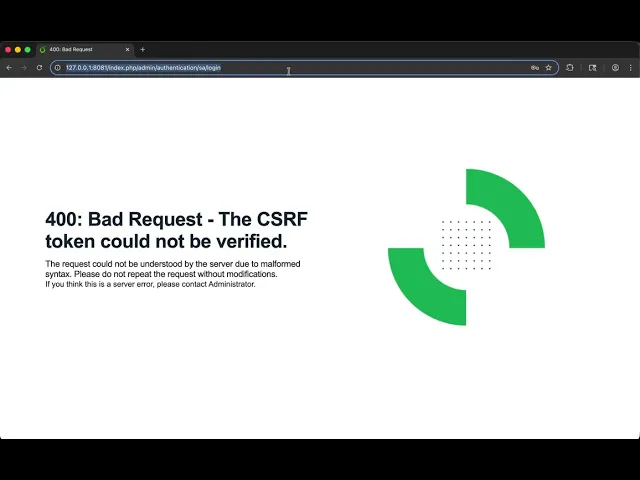
Video of exploitation:
Static evidence:

Our security policy
We have reserved the ID CVE-2026-65930 to refer to this issue from now on.
System Information
LimeSurvey
Version: 7.0.5
Operating System: Any
References
GitHub Repository: https://github.com/LimeSurvey/LimeSurvey/
Patch: https://github.com/LimeSurvey/LimeSurvey/commit/b043e8268542630dd5bb13c3cb1f8e1baf7f25a2
Mitigation
An updated version of LimeSurvey is available on the vendor page.
Credits
The vulnerability was discovered by Miguel Gomez from Fluid Attacks' Offensive Team using the AI SAST Scanner.
Timeline
Vulnerability discovered
Vendor contacted
Vendor replied
Vendor confirmed
Vulnerability patched
Public disclosure
Does your application use this vulnerable software?
During our free trial, our tools assess your application, identify vulnerabilities, and provide recommendations for their remediation.