LimeSurvey 7.0.5 - Stored XSS in quota message rendering
7,2
High
Detected by

Fluid Attacks AI SAST Scanner
Disclosed by
Miguel Gómez
Summary
Full name
LimeSurvey 7.0.5 - Stored XSS in quota message rendering
Code name
State
Public
Release date
Affected product
LimeSurvey
Vendor
LimeSurvey
Affected version(s)
7.0.5
Fixed version(s)
7.0.12
Vulnerability name
Stored cross-site scripting (XSS)
Vulnerability type
Remotely exploitable
Yes
CVSS v4.0 vector string
CVSS:4.0/AV:N/AC:L/AT:P/PR:L/UI:A/VC:H/VI:H/VA:N/SC:L/SI:L/SA:N
CVSS v4.0 base score
7.2
Exploit available
Yes
CVE ID(s)
Description
LimeSurvey Community Edition 7.0.5 contains a stored cross-site scripting vulnerability in the survey quota creation workflow. An authenticated low-privileged user who can create and manage their own survey can store malicious JavaScript in a quota message.
The vulnerable workflow saves attacker-controlled quota language settings before applying the model validation that normally performs XSS filtering. The public quota page later renders the persisted quota message as active HTML when a participant reaches the matching quota condition.
Successful exploitation allows attacker-controlled JavaScript to execute in LimeSurvey's origin. If the victim is an authenticated administrator or superadministrator, the script can perform same-origin administrative actions in that victim's session, including creating an attacker-controlled privileged account.
Vulnerability
Root Cause
Low-privileged survey owner reaches quota creation
QuotasController::actionAddNewQuota($surveyid)requires onlyquotas:createfor the target survey:A user with global
surveys:createcan create a survey they own and receive the permissions needed to manage quotas for that survey.Attacker-controlled quota message is mass-assigned
Quotas::saveNewQuota()reads postedQuotaLanguageSettingvalues and assigns them to a newQuotaLanguageSettingmodel:The attacker-controlled source is:
The unsafe value is saved before validation
The method decodes entities and normalizes CKEditor markup, then saves without validation:
This bypasses the
LSYii_Validatorsrule onquotals_message. Even when validation later sanitizes the in-memory attribute, the sanitized value is not persisted back tolime_quota_languagesettings.The stored value reaches the public quota page
When the survey response matches a quota condition,
Quotas::checkCompletedQuota()loads the stored quota data and assigns the message to the survey view model:The quota template renders the message as active HTML
The default survey templates insert the message into the quota page:
Impact
An authenticated low-privileged LimeSurvey user can persist JavaScript in a survey quota message and trigger execution when another user reaches that quota page.
Potential impact includes:
JavaScript execution in the browser of public survey respondents.
Same-origin actions in any authenticated LimeSurvey session that visits the affected survey.
Administrative account creation or permission changes if a superadministrator is targeted.
Unauthorized access to, or modification of, LimeSurvey data available to the victim session.
The issue requires authentication to create the malicious survey/quota, but it does not require administrator privileges.
PoC
Preconditions
LimeSurvey Community Edition 7.0.5+260623.
Application reachable at
http://127.0.0.1:8081.Initial administrator credentials:
A low-privileged attacker account with
surveys:create.Burp listening on
http://127.0.0.1:8080if proxying the supplied PoC script.
Step 1 - Deploy the application
Download:
Deploy LimeSurvey with PHP/Apache and MariaDB/MySQL. Complete the installer using:
Step 2 - Create the attacker-owned survey and quota
As the low-privileged attacker:
Create a new survey.
Add a mandatory dropdown question with one answer option, for example:
Create a quota for the survey with:
Store an XSS payload in the quota message:
Associate
Option Awith the quota.Activate the survey in open-access mode.
Step 3 - Trigger the quota page
As the victim:
Open the public survey URL.
Click Next.
Select
Option A.Submit the survey.
Expected result:
The quota page is displayed.
The stored quota message is emitted as HTML.
The
<img>onerrorhandler executes in LimeSurvey's origin.
Step 4 - Administrator-session impact
The supplied PoC extends the payload to run in an authenticated administrator victim session. It creates an attacker-controlled user and assigns global administrative permissions through same-origin POST requests.
Expected result:
The browser title changes to the marker printed by the PoC.
The attacker-controlled account appears in LimeSurvey User Management with elevated permissions.
Evidence of Exploitation
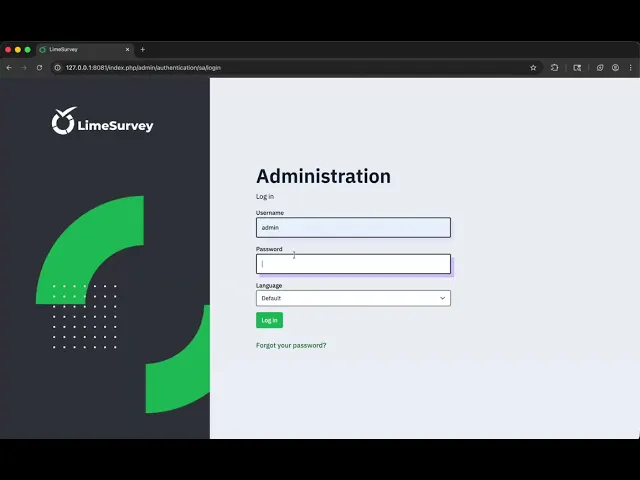
Video of exploitation:
Static evidence:

Our security policy
We have reserved the ID CVE-2026-16809 to refer to this issue from now on.
System Information
LimeSurvey
Version: 7.0.5
Operating System: Any
References
GitHub Repository: https://github.com/LimeSurvey/LimeSurvey/
Patch: https://github.com/LimeSurvey/LimeSurvey/commit/b043e8268542630dd5bb13c3cb1f8e1baf7f25a2
Mitigation
An updated version of LimeSurvey is available on the vendor page.
Credits
The vulnerability was discovered by Miguel Gomez from Fluid Attacks' Offensive Team using the AI SAST Scanner.
Timeline
Vulnerability discovered
Vendor contacted
Vendor replied
Vendor confirmed
Vulnerability patched
Public disclosure
Does your application use this vulnerable software?
During our free trial, our tools assess your application, identify vulnerabilities, and provide recommendations for their remediation.