HumHub 1.19.0 - Stored XSS in friendship confirmation
7,2
High
Detected by

Fluid Attacks AI SAST Scanner
Disclosed by
Miguel Gómez
Abstract
Fluid Attacks' AI SAST detected CVE-2026-115541, a high-severity stored cross-site scripting (XSS) vulnerability (CWE-79) in HumHub Community Edition 1.19.0. An authenticated attacker can execute malicious JavaScript in other users' browsers through friendship confirmation dialogs. It has a CVSS v4.0 base score of 7.2. Upgrade to HumHub 1.18.7 or 1.19.2. This advisory includes a proof of concept.
Summary
Full name
HumHub Community Edition 1.19.0 - Stored XSS through profile display names in friendship confirmation
Code name
State
Public
Release date
Affected product
HumHub
Vendor
HumHub
Affected version(s)
1.19.0
Fixed version(s)
1.18.7 and 1.19.1
Vulnerability name
Stored cross-site scripting (XSS)
Vulnerability type
Remotely exploitable
Yes
CVSS v4.0 vector string
CVSS:4.0/AV:N/AC:L/AT:P/PR:L/UI:A/VC:H/VI:H/VA:N/SC:L/SI:L/SA:N
CVSS v4.0 base score
7.2
Exploit available
Yes
CVE ID(s)
CWE
CAPEC
Description
HumHub 1.19.0 contains a stored cross-site scripting vulnerability in the friendship-confirmation dialog. An authenticated low-privileged member can save HTML in their own first and last name. When another authenticated member opens that user's profile or listing and selects Friends, HumHub inserts the attacker's display name into a confirmation dialog as HTML.
The script executes in the victim's authenticated HumHub origin. Therefore, it can perform same-origin actions that the victim is permitted to perform. If the victim is a system administrator, this can include administrative actions such as creating or modifying accounts.
Vulnerability
Root cause
Profile::rules() only trims firstname and lastname; it does not prohibit HTML. User::getDisplayName() then concatenates these attacker-controlled fields without output encoding. FriendshipButton deliberately adds a <strong> element around this value and stores the resulting HTML in data-action-confirm.
Escaping performed while serializing the attribute is not a defense for this later HTML context. On click, the JavaScript modal retrieves the decoded attribute through jQuery's .data('action-confirm') and sends it to Modal.prototype.setBody(), which calls $body.html(content). Thus, browser parsing interprets attacker-controlled markup.
This is not intended rich-text behavior: first and last name are ordinary editable profile fields, and the friendship dialog is a confirmation prompt. The application-created <strong> markup does not authorize a member to inject arbitrary markup or script in another user's browser.
Source-to-sink path
An authenticated member writes a payload to their own editable
Profile[firstname]andProfile[lastname]. The profile model applies onlytrimto these attributes (protected/humhub/modules/user/models/Profile.php:76-80).User::getDisplayName()concatenates the two stored values (protected/humhub/modules/user/models/User.php:744-755).The friendship button builds
data-action-confirmwith the display name inside<strong>(protected/humhub/modules/friendship/widgets/FriendshipButton.php:121-130). The same unsafe pattern is used for ending an existing friendship at lines 110-120.A victim clicking the friendship button reaches
ui.modal.confirm()(protected/humhub/resources/js/humhub/humhub.action.js:527-538).humhub.ui.modal.jsobtains the attribute as the confirmation body (:792-808).ConfirmModal.open()callssetBody()(protected/humhub/resources/js/humhub/humhub.ui.modal.js:540-560), andsetBody()executes$body.html(content)(:472-479). This is the HTML injection sink.
Impact
When the victim opens the friendship-confirmation dialog for the attacker, attacker-controlled JavaScript executes in the victim's authenticated HumHub origin. The script therefore has the same browser-side authority as the victim for same-origin requests and data that the victim can access through the application.
An attacker can use this execution to read application content exposed to the victim's browser, invoke HumHub actions that the victim is authorized to perform, or modify data within the victim's available permissions.
PoC
Preconditions
Use a local HumHub 1.19.0 instance at http://127.0.0.1:8081, a disposable MariaDB instance, and a harmless external script listener at 127.0.0.1:8090. Friendship must be enabled, and the tester needs one disposable system-administrator account, one ordinary attacker account, and a victim account able to view the attacker's People entry.
Step-by-step
Start with a clean local checkout of HumHub Community Edition
1.19.0. Use Docker Compose with three services:web,cron, anddb(MariaDB 11.8). Publish the web service only on127.0.0.1:8081; do not publish the database to the host.Start the local stack with the deployment helper:
The helper builds the checkout and starts the Compose project. Confirm that
web,cron, anddbare running before continuing.Browse to
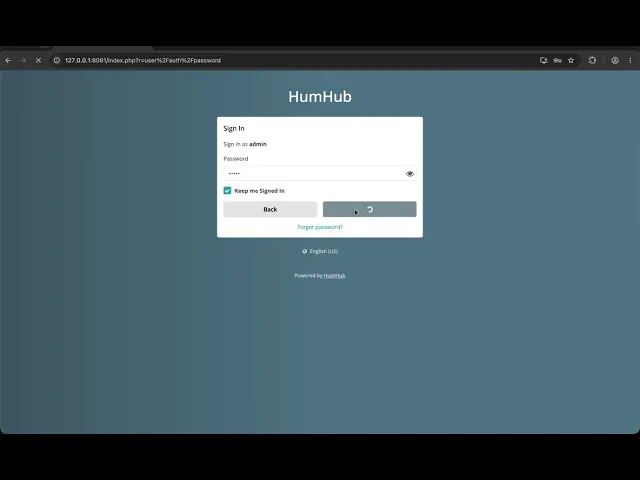
http://127.0.0.1:8081and complete the standard HumHub installer with the database connection configured for the isolated deployment. Create a disposable system-administrator account solely to initialize the instance and create the low-privileged attacker account.Select the My club installer profile, or otherwise enable Allow friendships between members. This is essential: if friendship is disabled,
FriendshipButton::isVisibleForUser()does not expose the vulnerable button.Create a benign external proof script in a temporary directory as
a.js. It only records execution in the DOM and presents a visible banner; it does not access data or issue requests:In the same directory, create
server_poc.pywith the following content. It usesThreadingHTTPServerand maps/atoa.js; the short URL keeps the complete script tag within HumHub's default name-field limits.Start the proof server and verify that the short route serves JavaScript:
Open
http://127.0.0.1:8090/ain the same browser environment used for the victim. It must returna.jsbefore proceeding.While signed in as the disposable administrator, open Administration → Users → Add new user. Create an ordinary member account (for example,
friendAttacker). Do not grant it administrator, Space-administration, or friendship-management privileges.Sign out of the administrator account and sign in as the new ordinary member. Open Account → Profile. Confirm that the member can modify their own standard first-name and last-name fields.
Store the following split payload exactly, then save the profile:
HumHub joins the fields with one space, so the resulting display name is:
Splitting the tag is deliberate: the default profile-field configuration limits firstname to 20 characters and lastname to 30 characters. After saving, confirm that the payload is persisted in the attacker's People card.
11. Sign out of the attacker account. Sign in as the disposable administrator or another authenticated victim account that can view People entries. Do not alter the attacker's profile or establish a friendship first.
12. Open People from the top navigation. Locate the attacker card, whose name is rendered as the stored split payload, and click its Friends button. This action opens the normal confirmation dialog for sending a friendship request.
13. Observe the result immediately when the Confirm Action modal opens. Do not click the modal's Confirm button: the external proof script executes while the modal body is constructed. Successful execution displays the red HUMHUB_FRIENDSHIP_XSS_EXECUTED banner and sets document.documentElement.dataset.humhubFriendshipXss to the same value.
Evidence of Exploitation
Video of exploitation:
Static evidence:

Our security policy
We have reserved the ID CVE-2026-115541 to refer to this issue from now on.
System information
Vendor: HumHub
Product: HumHub Community Edition
Version: 1.19.0
Operating System: Any
References
GitHub Repository: https://github.com/humhub/humhub
GitHub Security Advisory: https://github.com/humhub/humhub/security/advisories/GHSA-ph8x-wg86-qp2m
Patch (HumHub 1.19.2): https://github.com/humhub/humhub/releases/tag/v1.19.2
Patch (HumHub 1.18.7): https://github.com/humhub/humhub/releases/tag/v1.18.7
Latest Release (HumHub 1.19.3): https://github.com/humhub/humhub/releases/tag/v1.19.3
Solution and Workaround
Solution
Upgrade installations on the 1.18 maintenance line to 1.18.7 or later. Installations on the 1.19 line should upgrade to 1.19.2 or later; 1.19.3 is the current release. HumHub fixed the issue in 1.18.7 and 1.19.1, but 1.19.1 was not published as a separate release, making 1.19.2 the minimum available fixed release for that line.
After the upgrade, confirm the deployed version and regression-test both the send friendship request and end friendship dialogs. Use a disposable account whose first or last name contains harmless HTML metacharacters, such as <, >, &, and quotes. The confirmation dialog must display those characters as literal text; it must not create an element or execute script.
Workaround and temporary mitigation
Until the upgrade is complete, disable Enable user friendship system under Administration → Settings → General. If friendships must remain enabled, change the display-name format to username under Administration → Settings → Appearance; this prevents the affected first-name/last-name display-name path from reaching the confirmation dialog.
Review existing first-name and last-name values for HTML markup and remove unsafe values. Restrict profile editing to trusted users while the mitigation is in place. For maintained forks that cannot upgrade immediately, apply the vendor patch or ensure that the display name is encoded before it is inserted into the confirmation HTML. These mitigations reduce exposure but do not replace upgrading to a fixed release.
Credits
The vulnerability was detected by AI SAST Scanner and disclosed by Miguel Gómez from Fluid Attacks' Offensive Team.
Timeline
Vulnerability discovered
Vendor contacted
Vendor replied
Vendor confirmed
Vulnerability patched
Public disclosure
Does your application use this vulnerable software?
During our free trial, our tools assess your application, identify vulnerabilities, and provide recommendations for their remediation.