Akaunting 3.1.21 - Authenticated stored XSS in report description rendering
4,8
Medium
Detected by

Fluid Attacks AI SAST Scanner
Disclosed by
Oscar Naveda
Summary
Full name
Akaunting 3.1.21 - Authenticated stored XSS in report description rendering
Code name
State
Public
Release date
Affected product
Akaunting
Vendor
Akaunting
Affected version(s)
3.1.21
Vulnerability name
Stored cross-site scripting (XSS)
Vulnerability type
Remotely exploitable
Yes
CVSS v4.0 vector string
CVSS:4.0/AV:N/AC:L/AT:N/PR:H/UI:P/VC:L/VI:L/VA:N/SC:L/SI:L/SA:N
CVSS v4.0 base score
4.8
Exploit available
Yes
CVE ID(s)
Description
Akaunting 3.1.21 contains an authenticated stored Cross-Site Scripting vulnerability in the report management workflow. A user with permission to create or update reports can store arbitrary HTML/JavaScript in the description field of a report.
The stored value is later rendered without output encoding in two administrative contexts:
- The report edit form, where the value is inserted raw inside a <textarea>.
- The reports index page, where the value is printed raw inside the report card description.
An attacker can use a payload that closes the textarea context, such as </textarea><img src=x onerror=alert(document.domain)>, and execute JavaScript when another authenticated user opens the affected report edit page. The same stored value is also rendered as raw HTML on the reports index page.
Vulnerability
Root cause
1. Report input validation allows arbitrary string content (app/Http/Requests/Common/Report.php:16-20):
2. Create and update jobs persist all request fields directly (app/Jobs/Common/CreateReport.php:15-17, app/Jobs/Common/UpdateReport.php:13-15):
3. The report model permits mass assignment of description (app/Models/Common/Report.php:21):
4. The shared textarea component prints the persisted value as raw Blade output (resources/views/components/form/input/textarea.blade.php:10-26):
>{!! $value !!}</textarea>
In a textarea body, raw output is unsafe because an attacker-controlled </textarea> sequence terminates the element and lets the browser parse attacker-controlled HTML.
5. The reports index also renders report descriptions as raw HTML (resources/views/common/reports/index.blade.php:50-52):
PoC
Step 1 - Create a report with a malicious description
1. Log in to Akaunting as a user allowed to create reports, for example [email protected].
2. Open: /1/common/reports.
3. Click New Report.
4. Fill the form with a valid name, for example: Report XSS Evidence.
5. Select any available report type, for example: Income Summary.
6. Set the report description to: CVE-REPORT-DESC-</textarea><img src=x onerror=alert(document.domain)>.
7. Save the report.
Step 2 - Trigger the payload from the report edit page
1. Return to the reports list.
2. Open the created report in edit mode.
3. The stored description value is loaded into the shared textarea component.
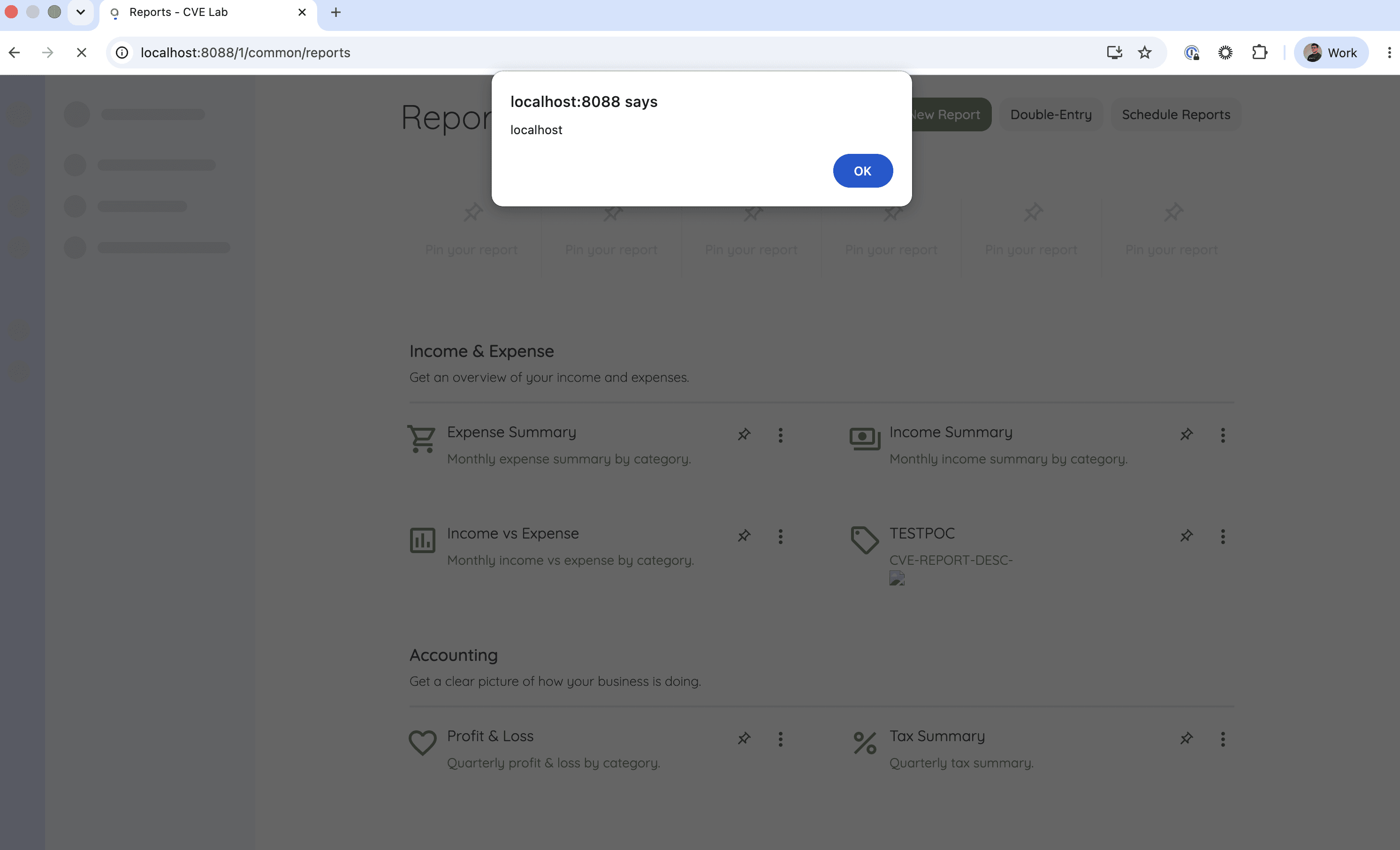
4. The browser parses the injected </textarea> as the end of the element, creates the injected <img>, and executes the onerror handler.
Expected result:
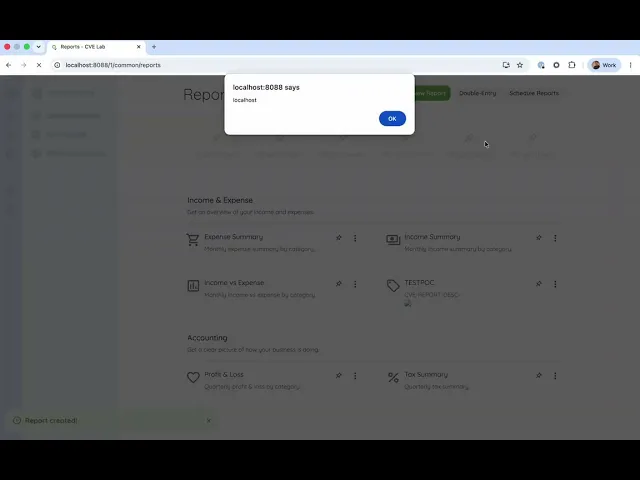
- alert(document.domain) executes in the authenticated Akaunting origin.
- Inspecting the DOM shows output equivalent to: CVE-REPORT-DESC-</textarea><img src=x onerror=alert(document.domain)></textarea>.
Step 3 - Trigger the payload from the reports index
1. Store a report description containing executable HTML, for example: <img src=x onerror=alert(document.domain)>.
2. Open: /1/common/reports.
Expected result:
- The reports index prints report.description through {!! $report->description !!}.
- The injected image element is parsed and its onerror handler executes.
Evidence of exploitation
Video of exploitation
Static evidence
Our security policy
We have reserved the ID CVE-2026-11944 to refer to this issue from now on.
System Information
Akaunting
Version: 3.1.21
Operating System: Any
References
Github Repository: https://github.com/akaunting/akaunting
Mitigation
There is currently no patch available for this vulnerability.
Credits
The vulnerability was discovered by Oscar Naveda from Fluid Attacks' Offensive Team using the AI SAST Scanner.
Timeline
Vulnerability discovered
Vendor contacted
Public disclosure
Does your application use this vulnerable software?
During our free trial, our tools assess your application, identify vulnerabilities, and provide recommendations for their remediation.